The problemFour features, no overlap
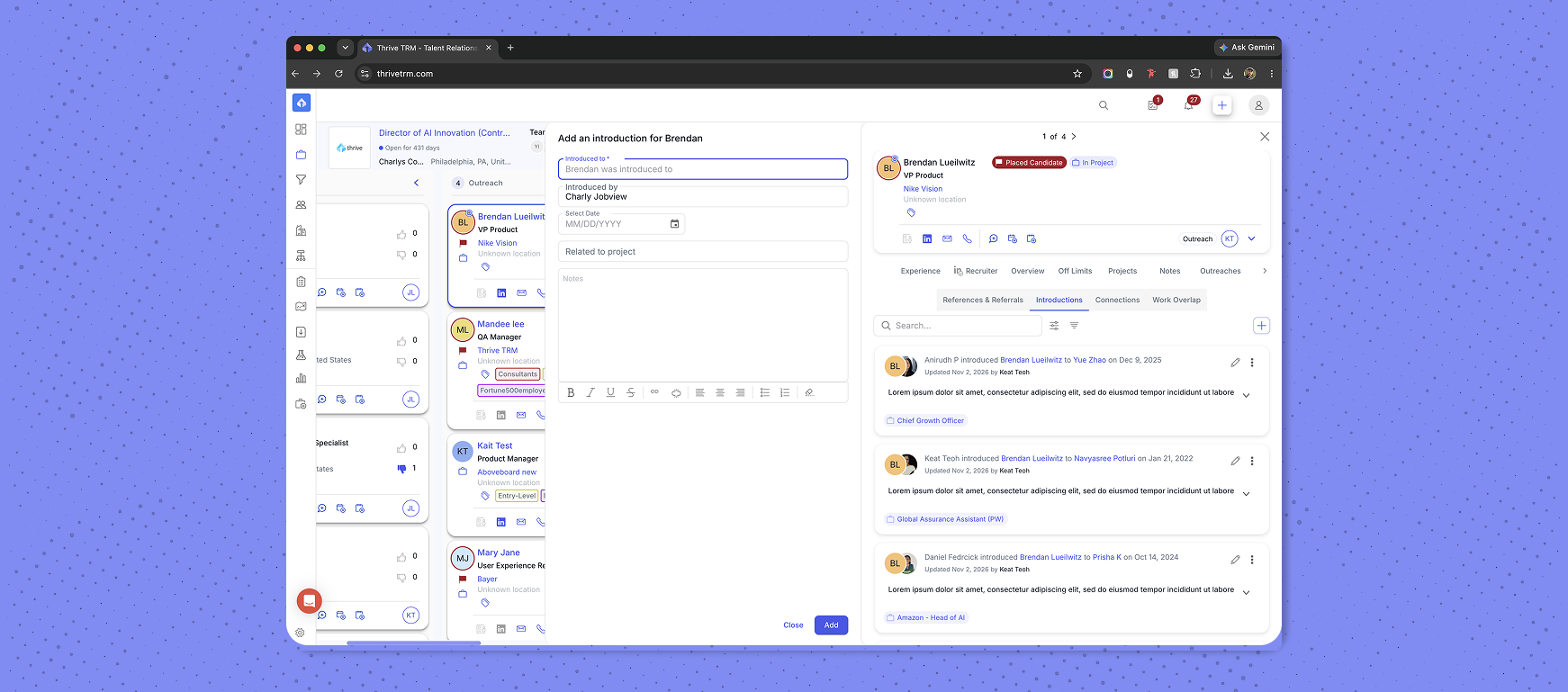
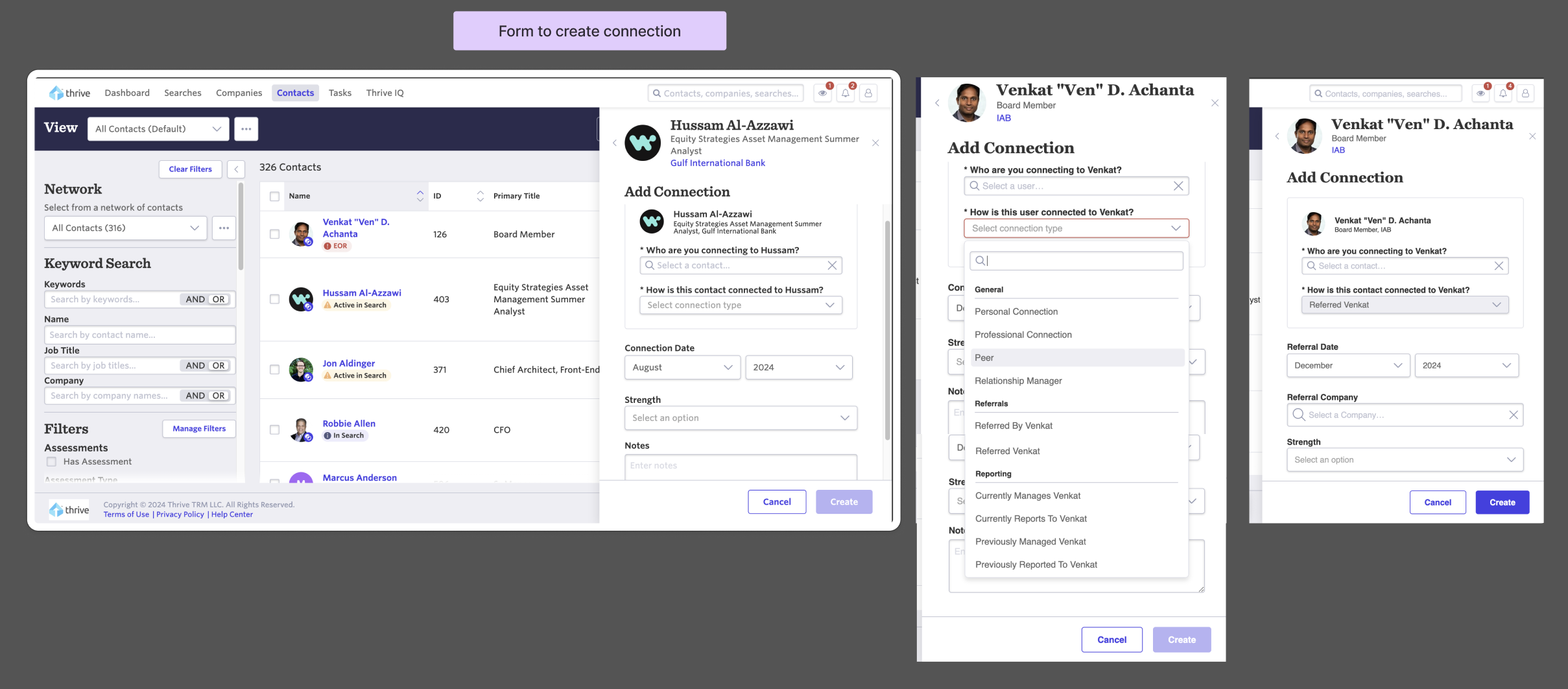
In the original app, a Referral was added as part of the "Add Connection" workflow, while References and Introductions were created in separate workflows, and none of the features overlapped. With different access points and workflows, this created confusion for users.
The solutionConnections as a layer, not a feature
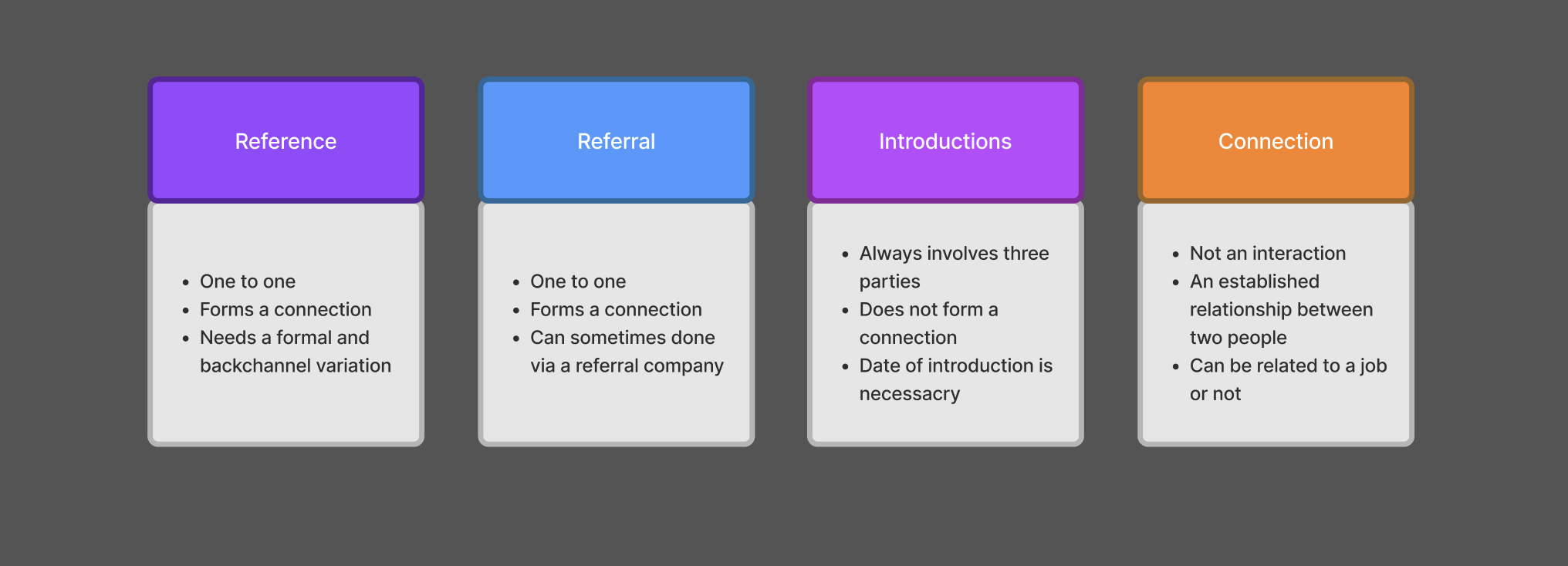
Realigning the information architecture was the first step. From research, we understood that introductions, references, and referrals were each a unique interaction with its own user needs, and that connections are a byproduct of any of those interactions.
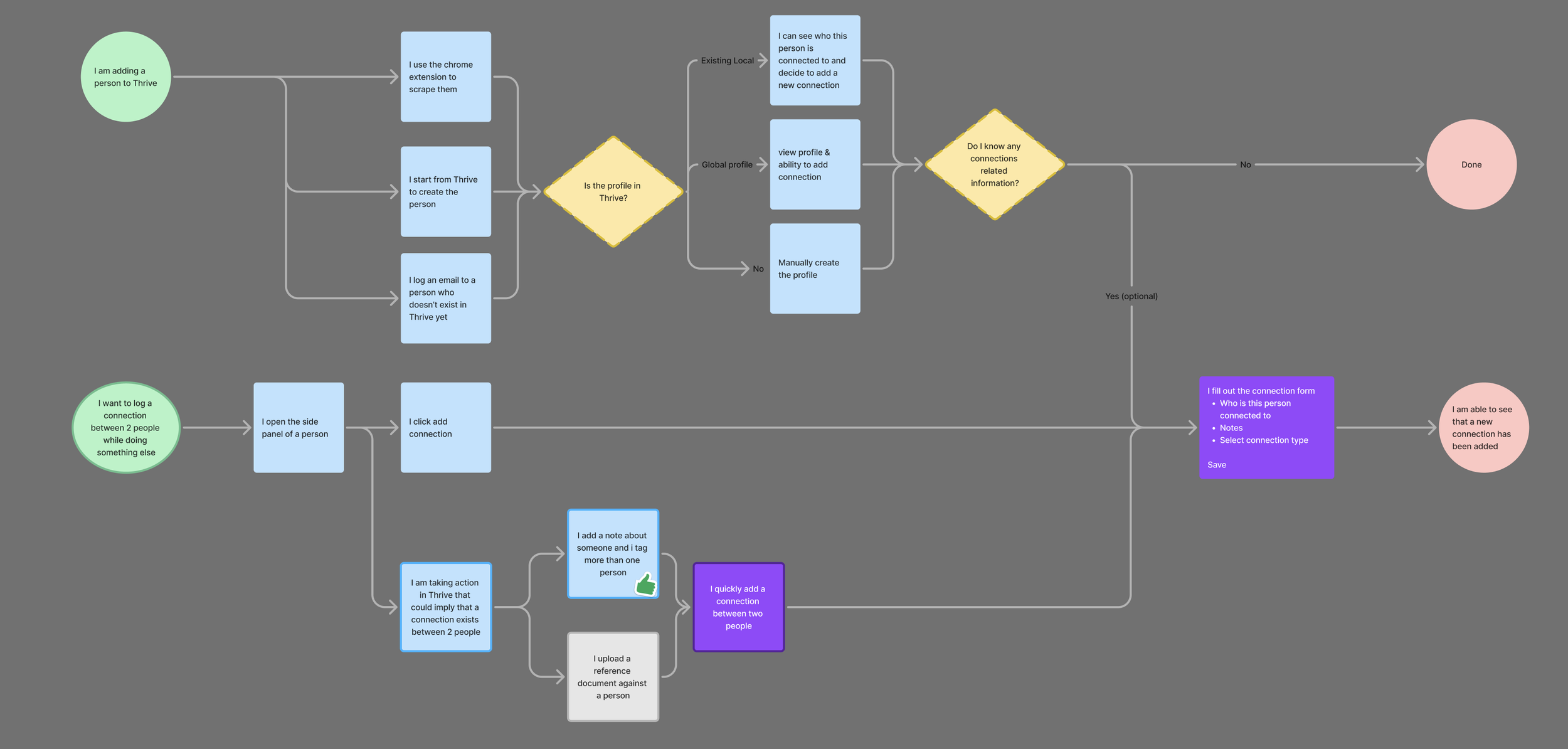
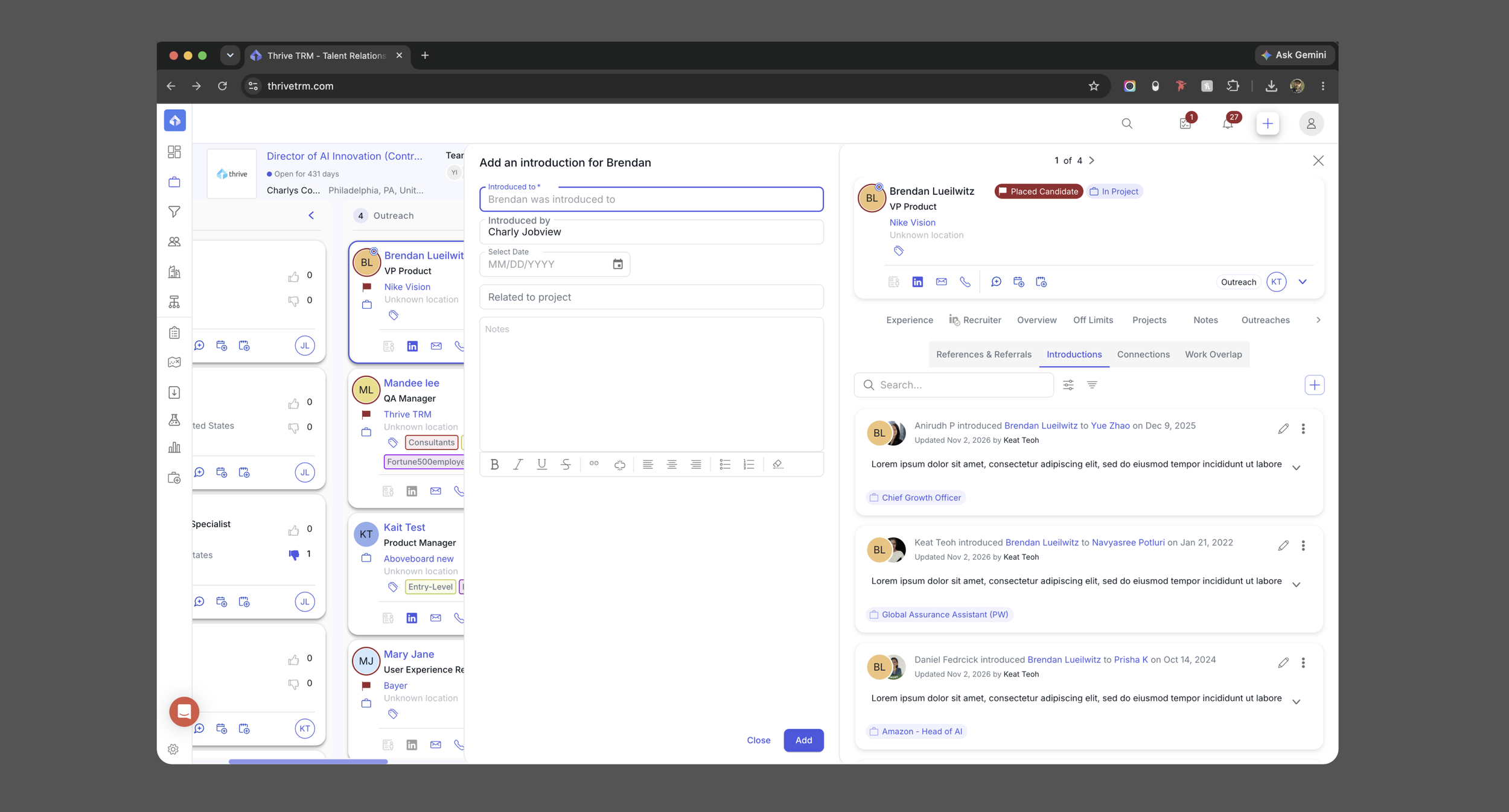
We combined the interactions into one workflow and treated Connections as an additional data layer on top of the others. When a Reference or Referral was established, a connection was added as well. Introductions kept their own workflow but share the same section of a person's profile.
Challenge 1Only one side of the relationship
When we rolled out the feature, we missed a blind spot: interactions being logged were not created on the other end of the connection, so data was incomplete. We reconfigured the card component so a reference displays on either person's profile, with the relationship made clear.
Challenge 2Finding the threads you don't know about
Streamlining how interactions and connections are logged was a big upgrade, but users still struggled to find relationships they didn't already know about. That feedback gave us the idea to cross-reference each person's work history with everyone else in the database and surface any overlap.
Work Overlap cut the time recruiters spent researching relationships down to minutes.
OutcomeWhat changed
- Relationship data lives in one place.References, referrals, introductions, and connections share a single section of a person's profile, and a reference appears on both people's profiles with the relationship made clear.
- Discovery became a lookup.Work Overlap cross-references work history to surface people who worked together. Later releases added filters, job-title search, and a shortcut to start recording a reference.
- Visibility follows the type of information.Official references, backchannel information, and client-facing content follow different rules, and backchannel references never appear in the client portal.
- Introductions are recorded in a structured way.The designs capture who introduced whom, when, with notes and optional project context.
What I'd carry forward
The first release recorded only one side of each relationship. Designing for both ends of a connection became the rule.