All case studies

More work Distru · Product Designer · 2021–2022

Distru: product design and systems

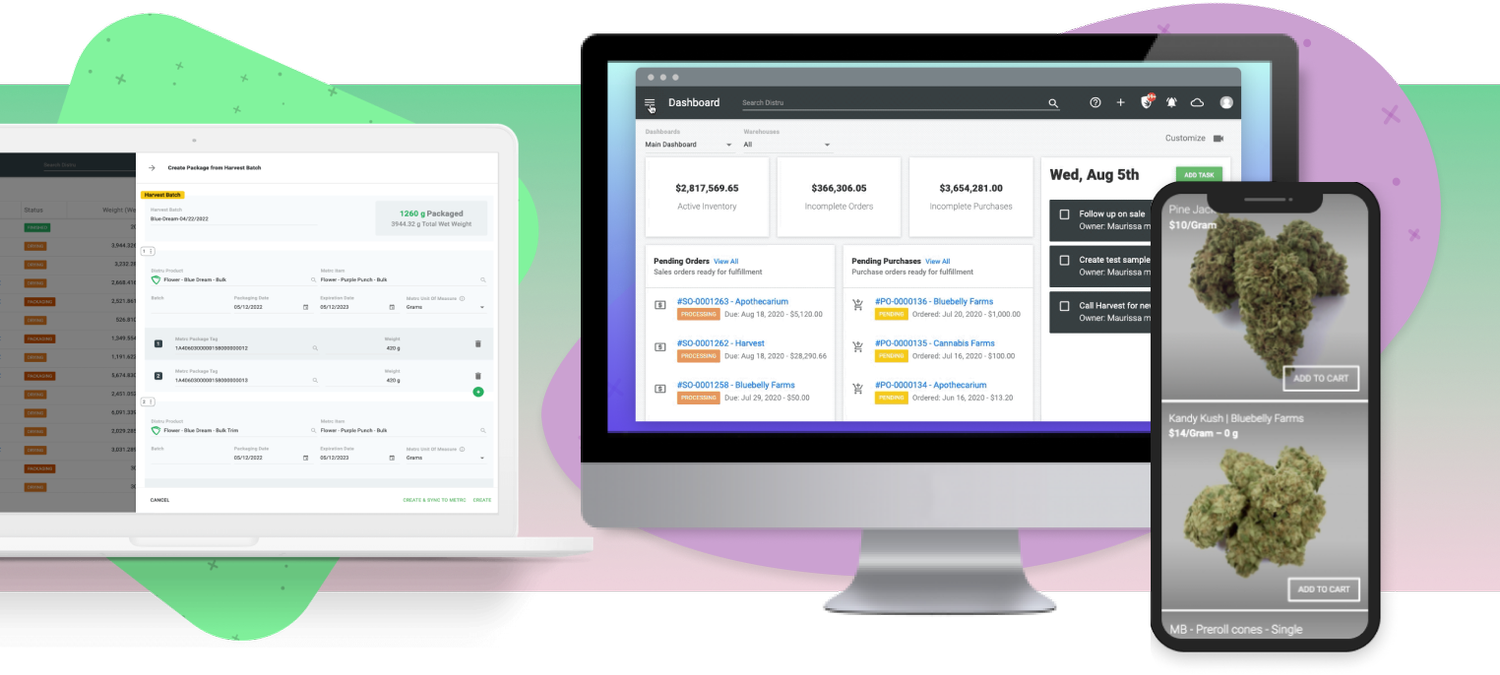
Distru is enterprise resource planning and logistics software for the cannabis industry, covering CRM, inventory management, order fulfillment, and state-specific track-and-trace compliance. As one of three product designers, I worked with the product manager and engineering team across feature projects, marketing, and a new design system.

Role
Product designer, one of three
Team
PM, engineering, Customer Success, Sales, and Marketing
Timeline
November 2021 – June 2022
Highlight
Self-guided onboarding cut onboarding time and support calls by 50%
Distru's app shown on desktop, laptop, and phone

Project 1Live Menu

Using each client's inventory database, Distru can generate multiple live sales menus, each customizable. The feature had a lot of room for improvement, and the backlog of customer requests and feedback was a good place to start.

  • Reviewed and prioritized customer requests and feedback in Productboard with the PM
  • Ran a visual and UX audit of the existing feature, and scoped the PRD with the PM
  • Designed wireframes and iterated on them with the PM and Customer Success
  • Reviewed the PRD and designs with engineering to uncover technical constraints and plan implementation
  • Handed off to engineers, QA tested each release, and checked in weekly on status
  • Coordinated each release with Customer Success, Sales, and Marketing, and demoed the feature to align client communication
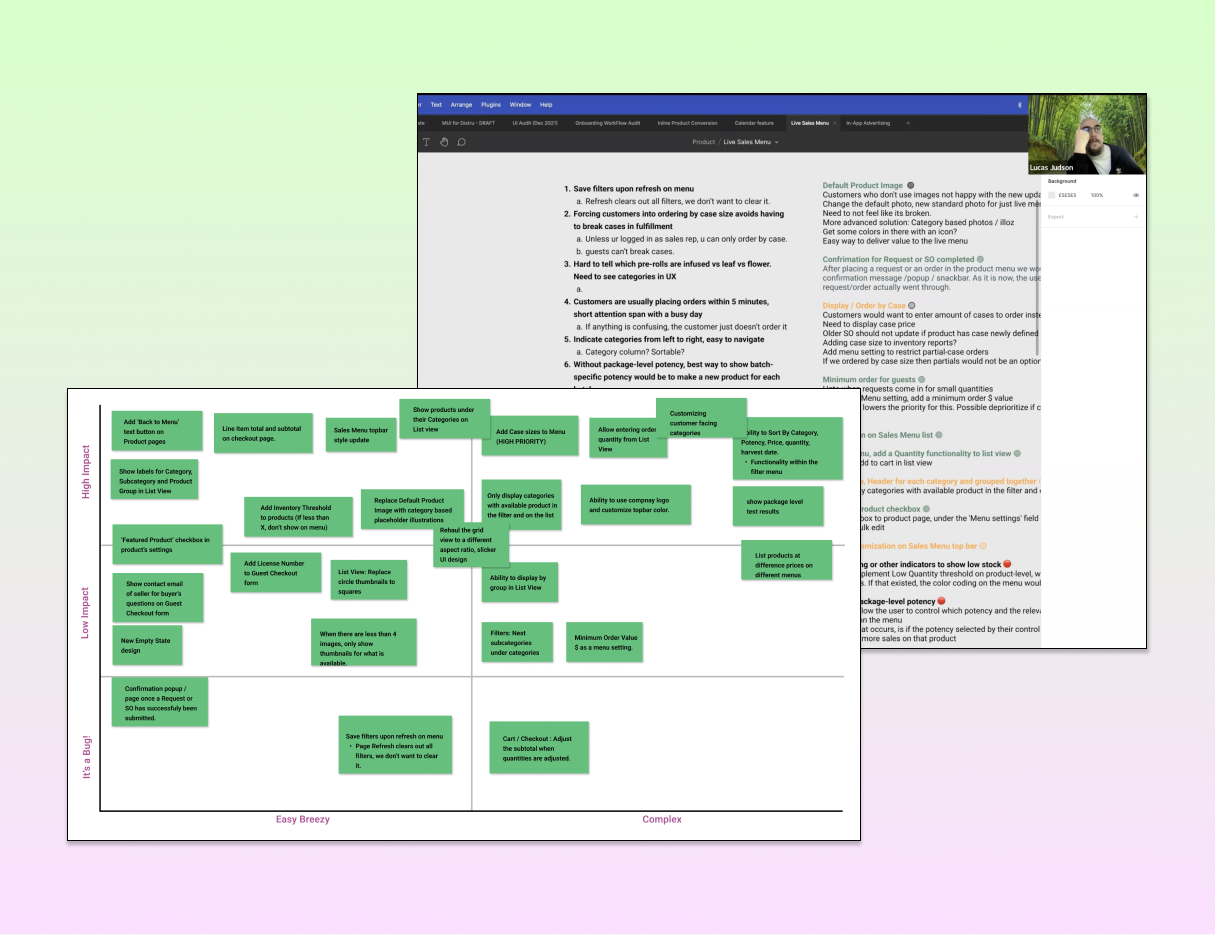
Chart prioritizing Live Menu enhancements by impact, need, and complexity
Research and analysisReviewed the backlog of customer feedback with the PM, and charted enhancements by impact, need, and complexity.
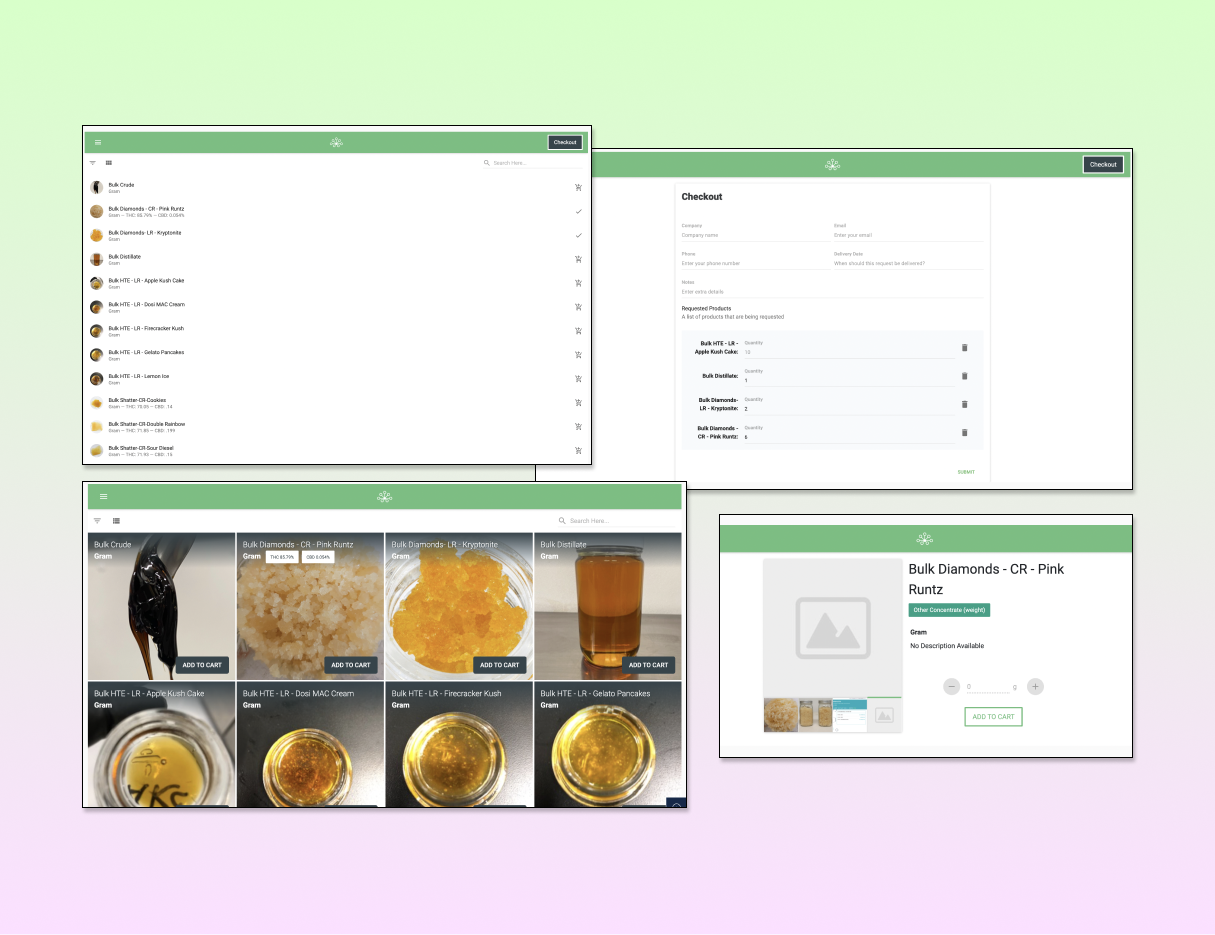
UX and UI audit of the existing Live Menu
UX/UI auditAudited the existing feature to fully understand user workflows and pain points.
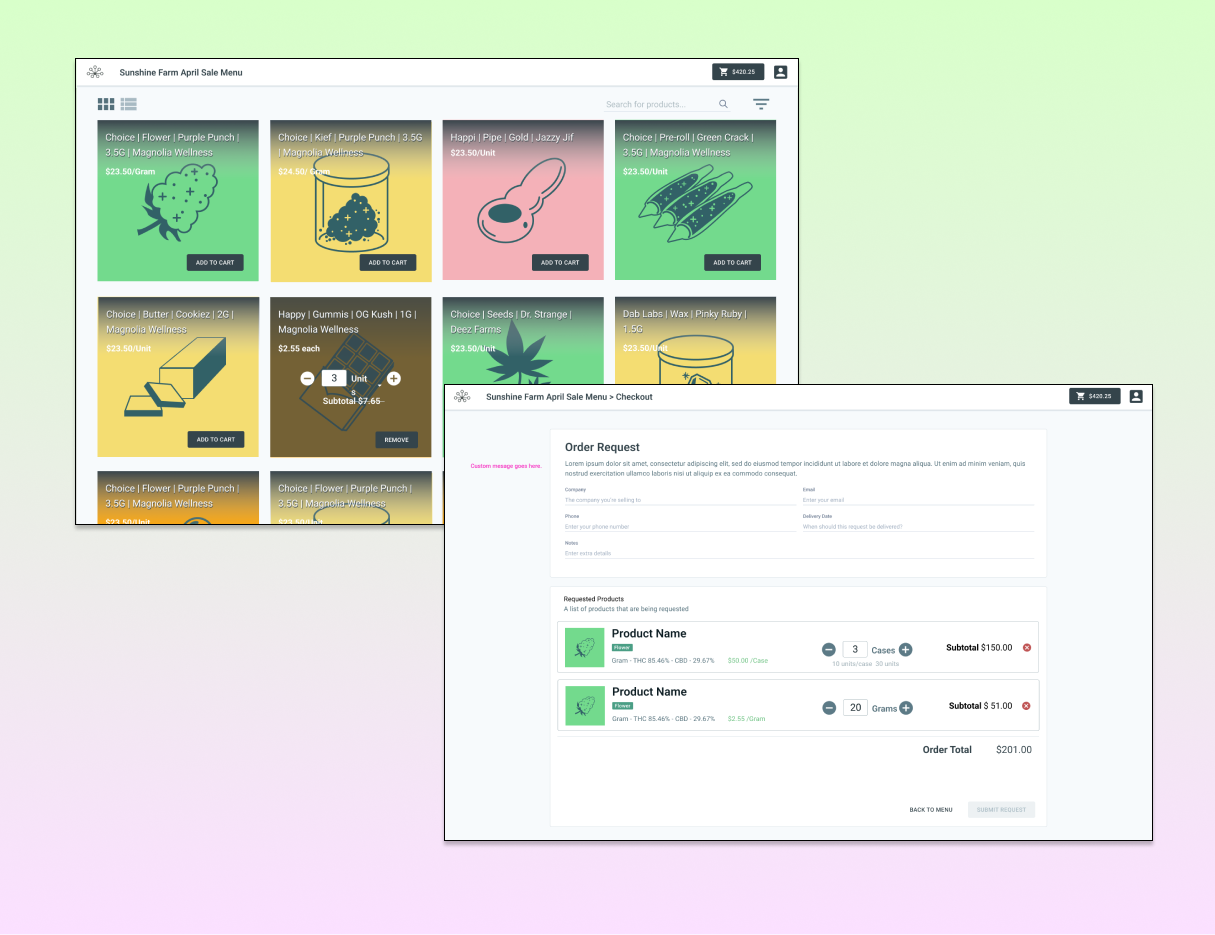
Live Menu design iterations
Ideation and iterationsAlthough enhancements had different priorities, it was best to present the design solution in its final form.
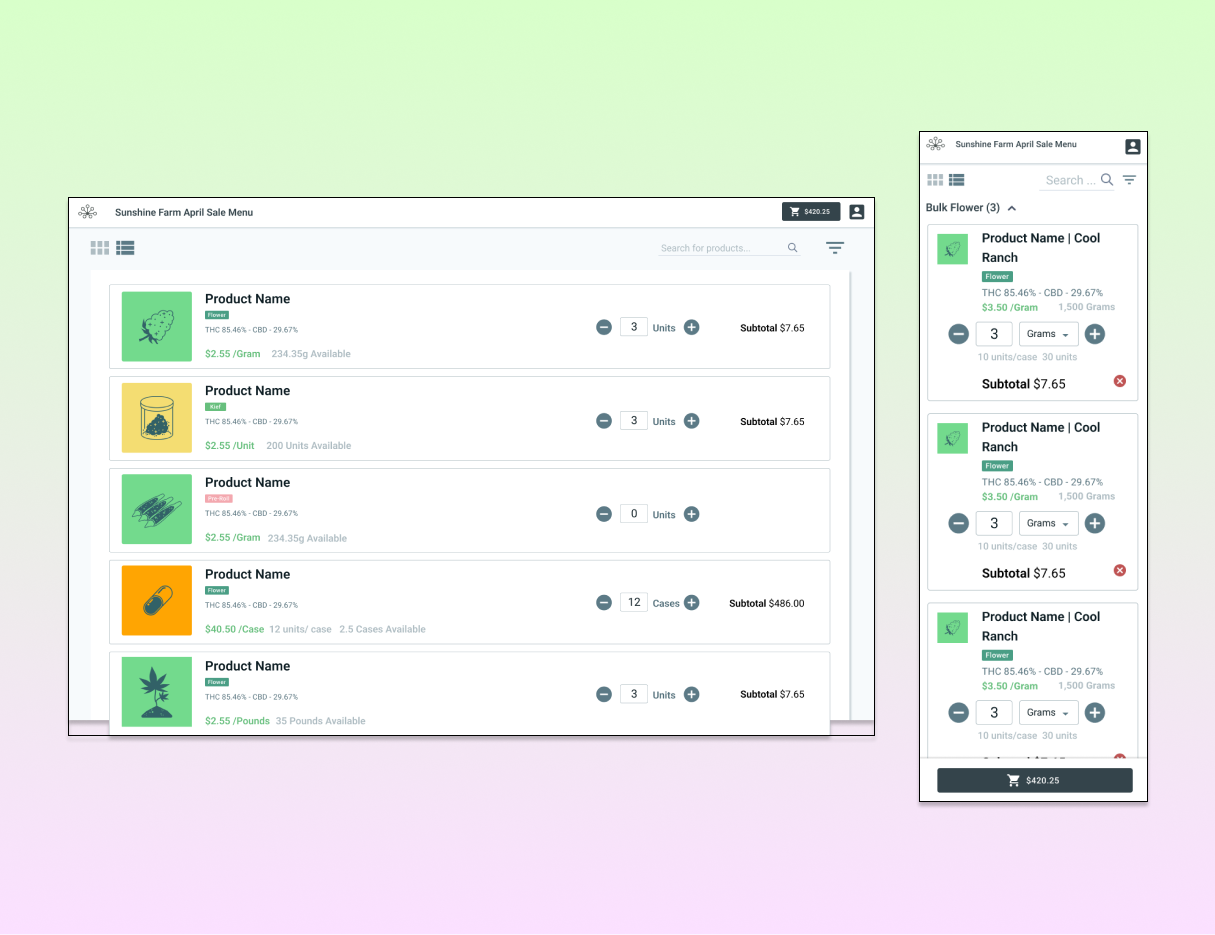
Live Menu designs under review
Design reviewsIterated with the PM, engineers, and Customer Success so the design worked for the business and users, and was technically feasible.
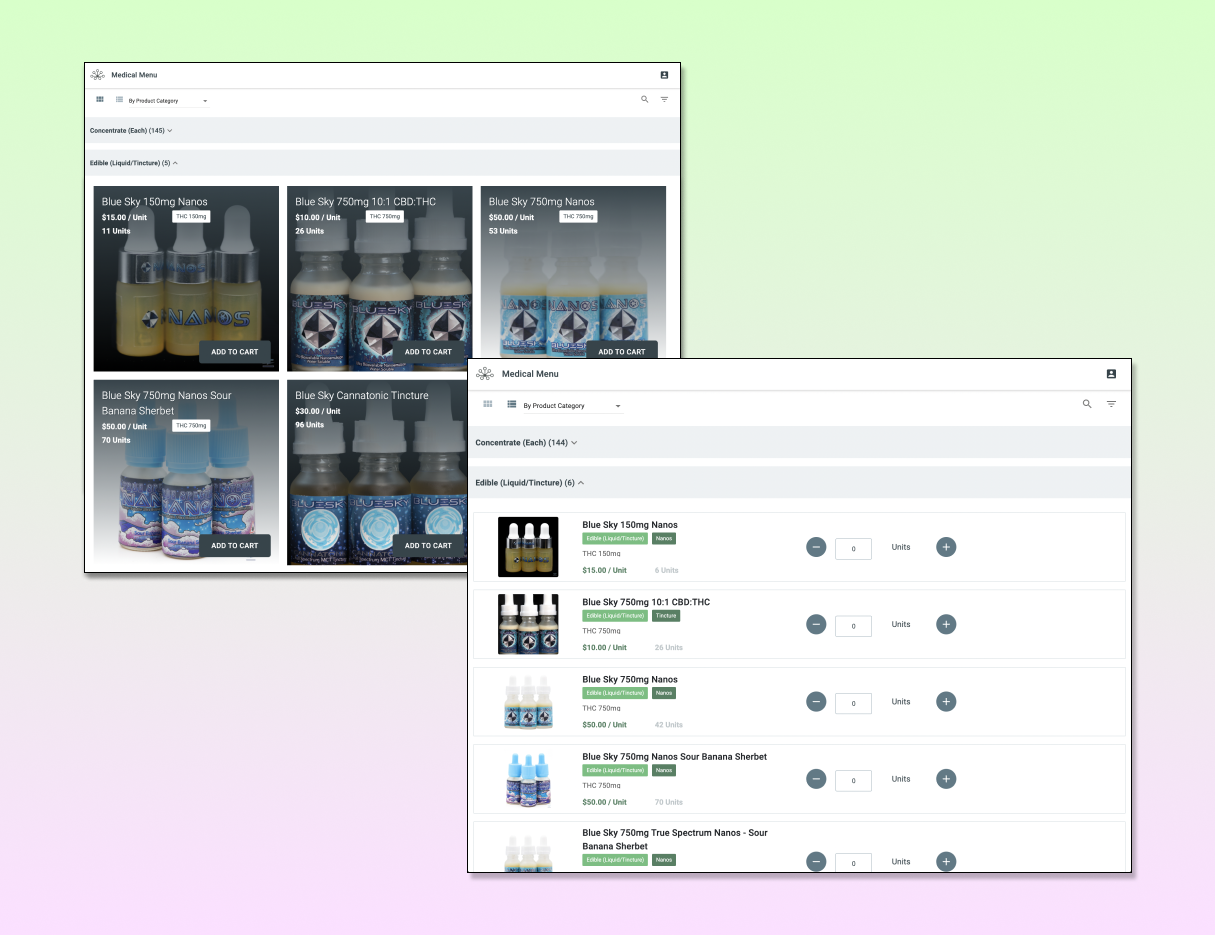
The shipped Live Menu
Shipped within a monthWorking with our engineer, we shipped the new Live Menu within a month, saving clients time and effort creating robust, efficient sales menus.

Project 2Client onboarding

Onboarding is a client's first contact with the product, and the existing workflow needed Customer Success to be hands-on throughout: account creation and setup, API configuration, data entry, and going live. Stakeholders wanted a more streamlined process, so clients could be more self-sufficient and Customer Success could free up bandwidth.

  • Sat in on client onboarding calls to understand user needs
  • Walked through the process with Customer Success to understand the business needs
  • Ran a UI audit and mapped user flows in flowcharts to synthesize findings
  • Brainstormed solutions with the product team, then designed and iterated on wireframes with the PM and Customer Success
  • Reviewed the PRD and designs with engineering, then finalized and handed off
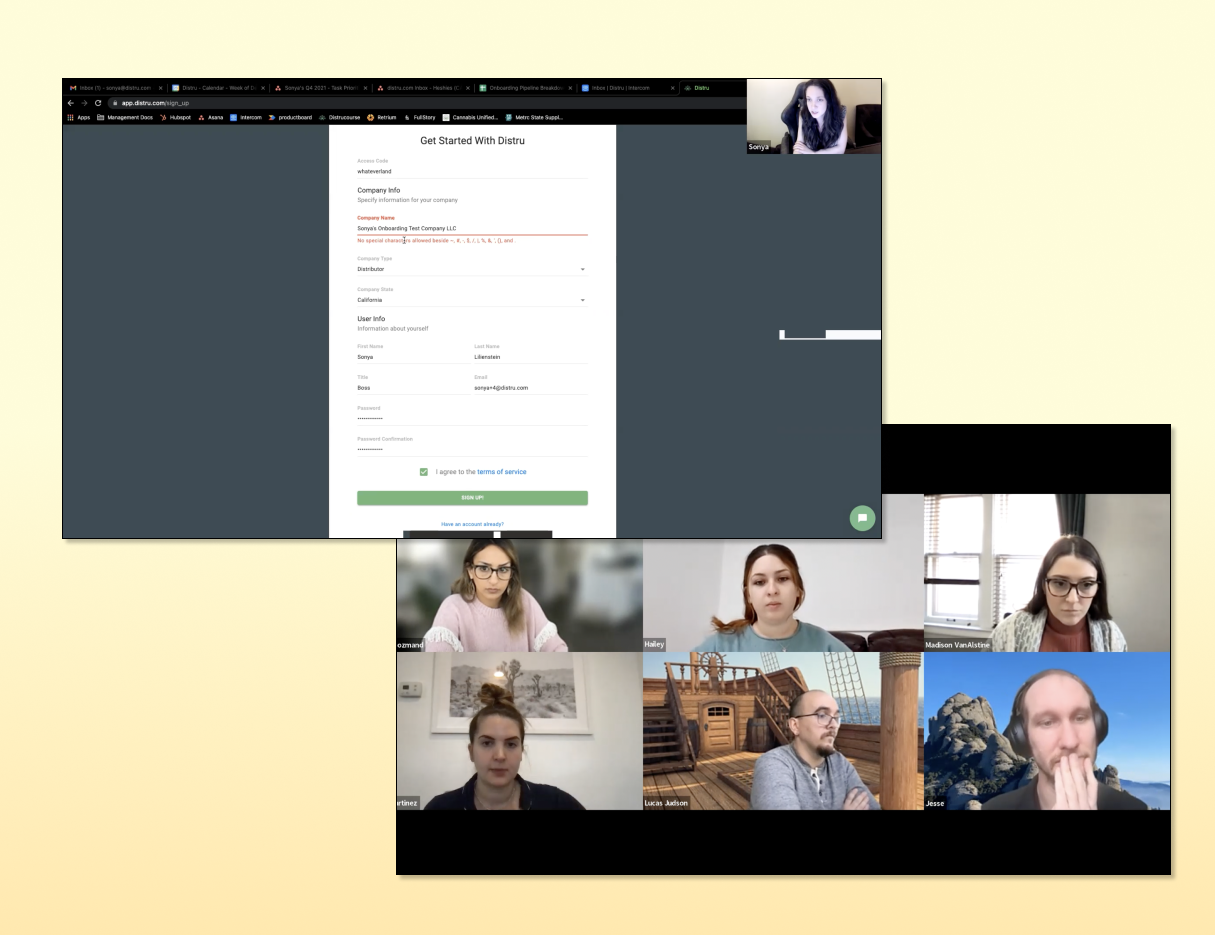
Notes from onboarding walkthroughs and sit-ins
Walkthroughs and sit-insDemos with Customer Success and sitting in on client calls gave insight into the current experience.
Visual audit of the onboarding flow
Visual auditGoing through onboarding step by step surfaced pain points and areas to improve.
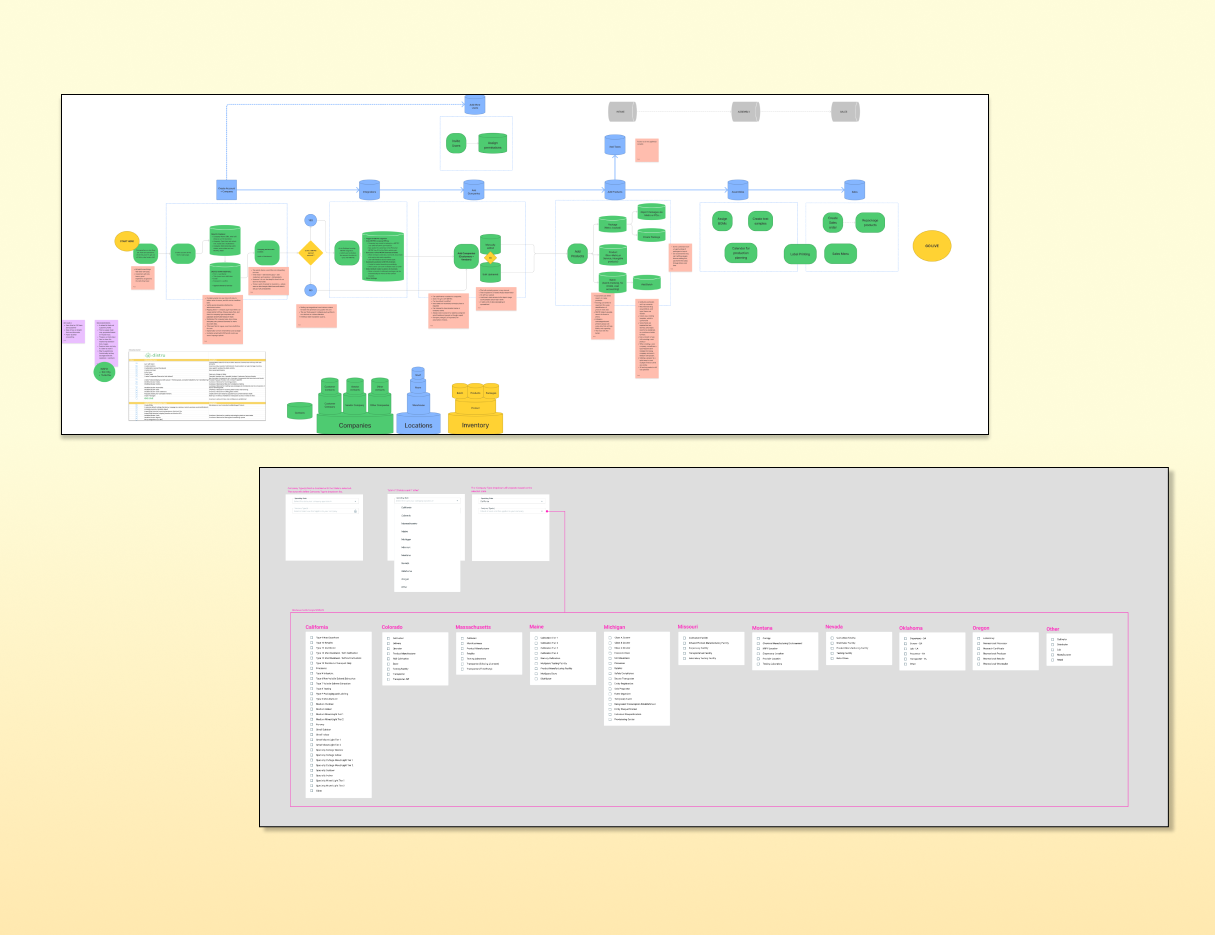
Onboarding user flow and information architecture
Analysis and synthesisMapping the user flow and every data type entered let me rethink what users need, and can do, at each stage.
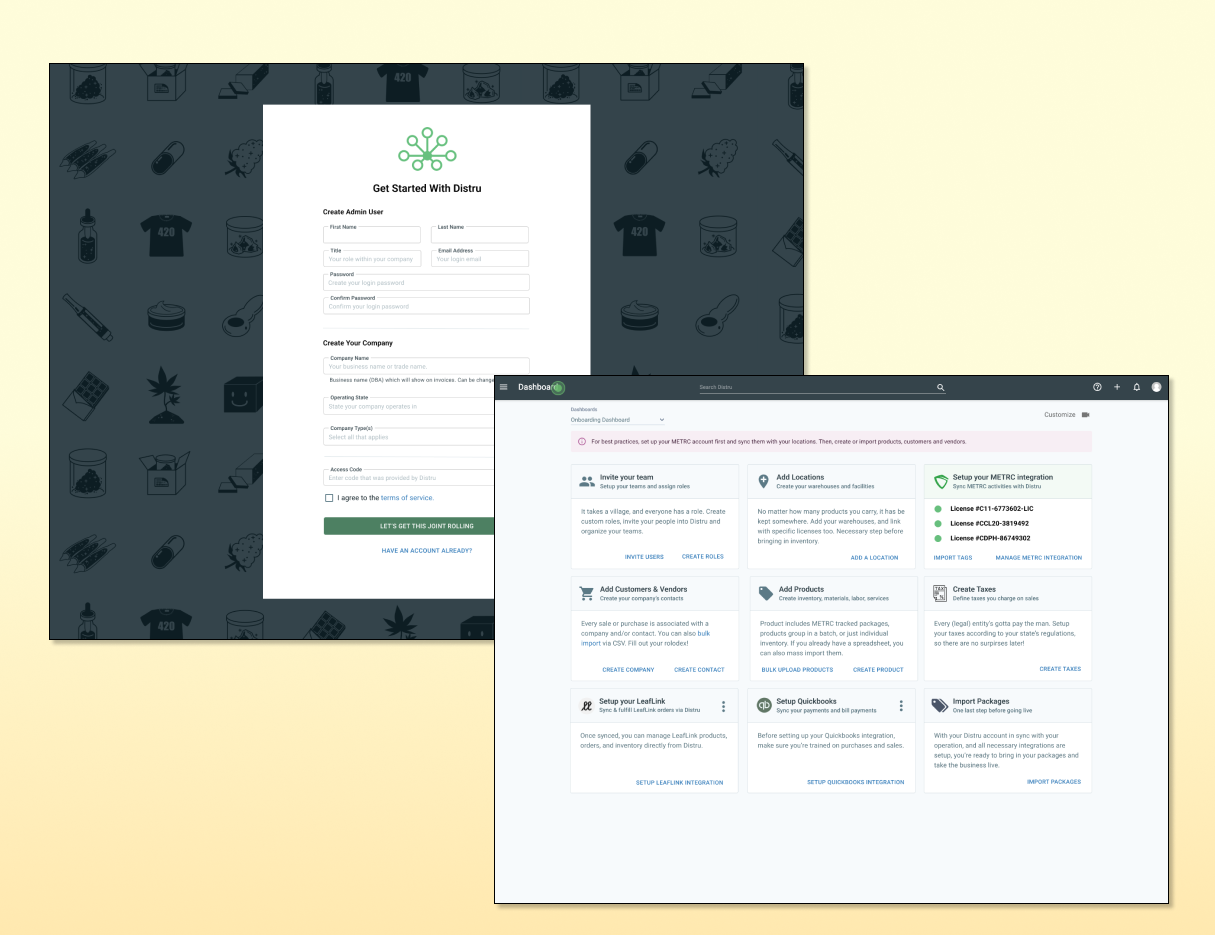
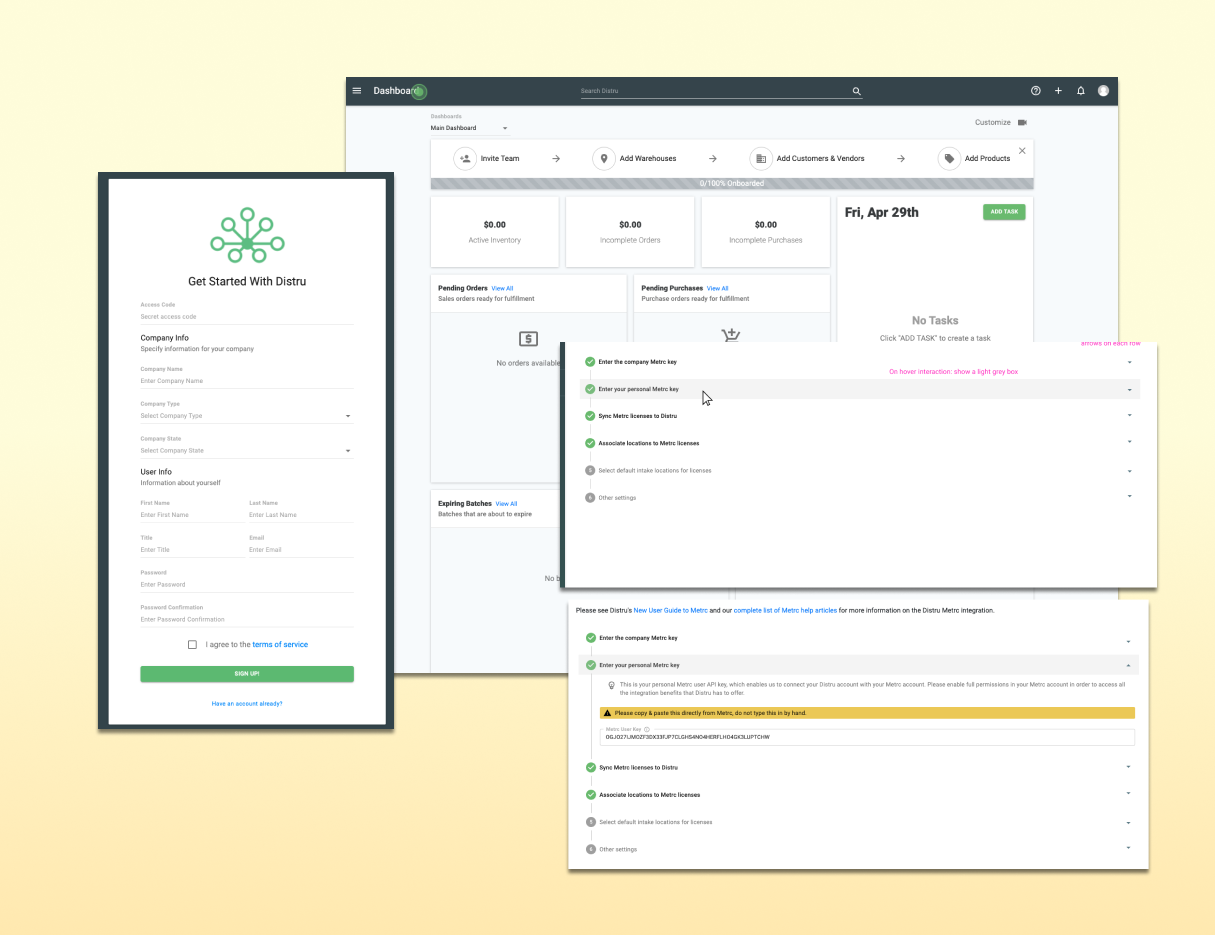
Onboarding dashboard designs
Ideation and iterationsUpdated the onboarding forms and designed an onboarding dashboard for a more self-guided experience.
50%less onboarding time and fewer support calls

Project 3Dynamic Bills of Materials

For manufacturers, assembling a product isn't always a simple equation of combining ingredients and materials. They need an assembly process that is both efficient and dynamic, based on inventory levels and ingredient expiration dates.

  • Walked through the existing Bill of Materials feature with the PM and audited it
  • Scoped the PRD with the PM; designed and iterated on wireframes with the PM and Customer Success
  • Reviewed with engineering, handed off, QA tested each release, and coordinated launches with Customer Success, Sales, and Marketing
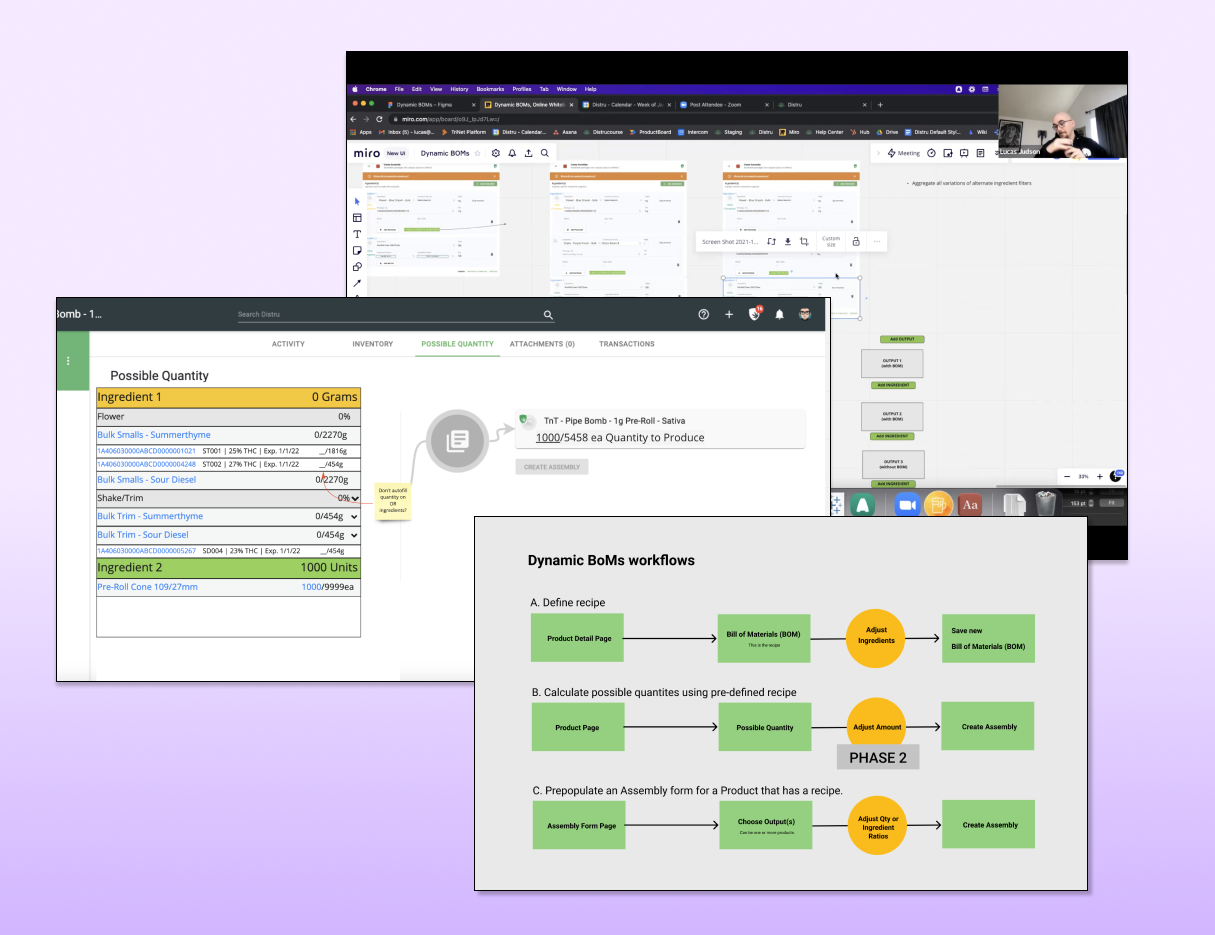
Whiteboard scoping of Dynamic BOMs
Scoping the projectWhiteboarding with the PM and CTO defined the feature and how it affects three existing pages, each needing a workflow update.
Audit of existing BOM workflows
Immersion and visual auditWorking through existing workflows showed which components to reuse or adapt, and pain points to fix along the way.
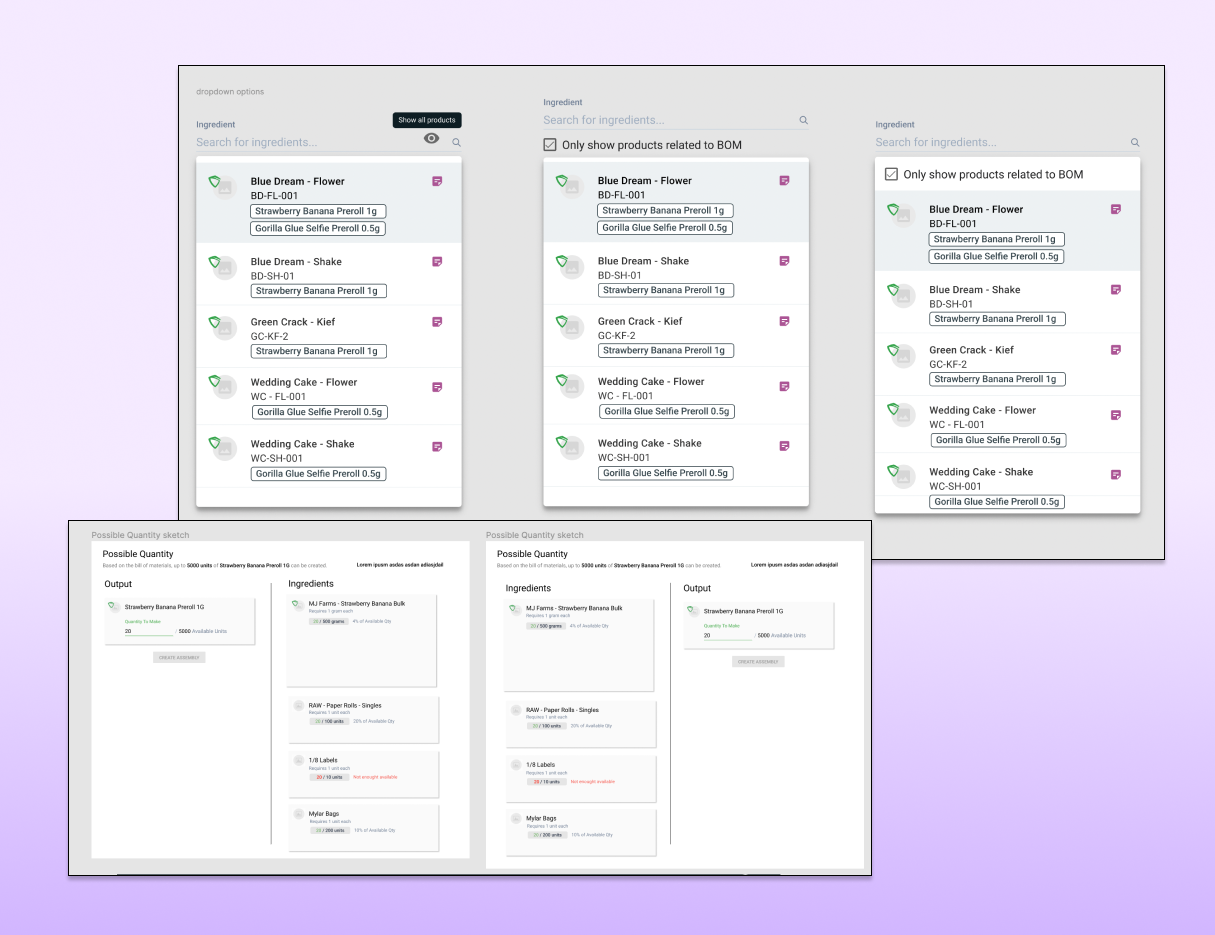
Dynamic BOM flow options
Ideation and iterationFor decisions that needed input from users and experts, I created two or three options per problem and weighed the pros and cons.
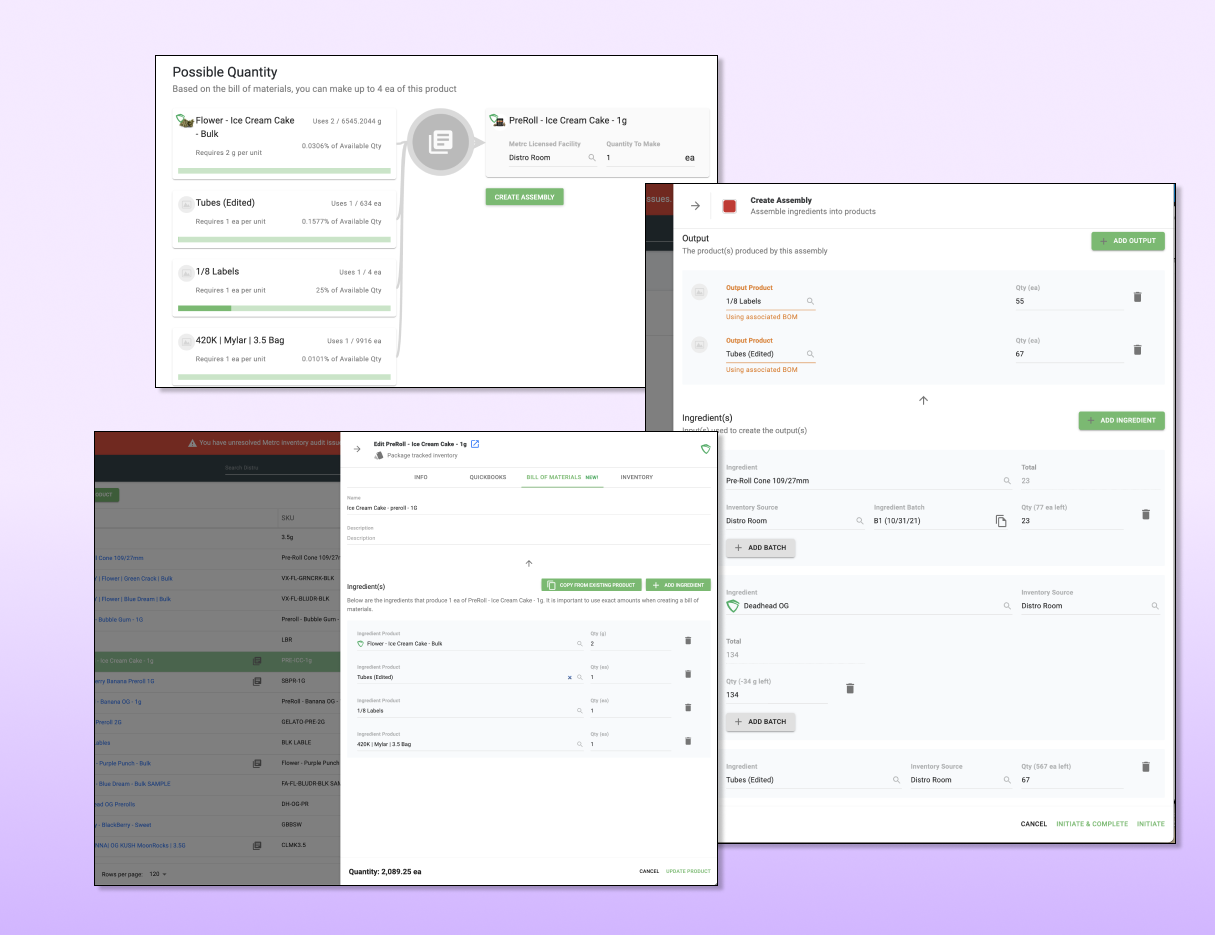
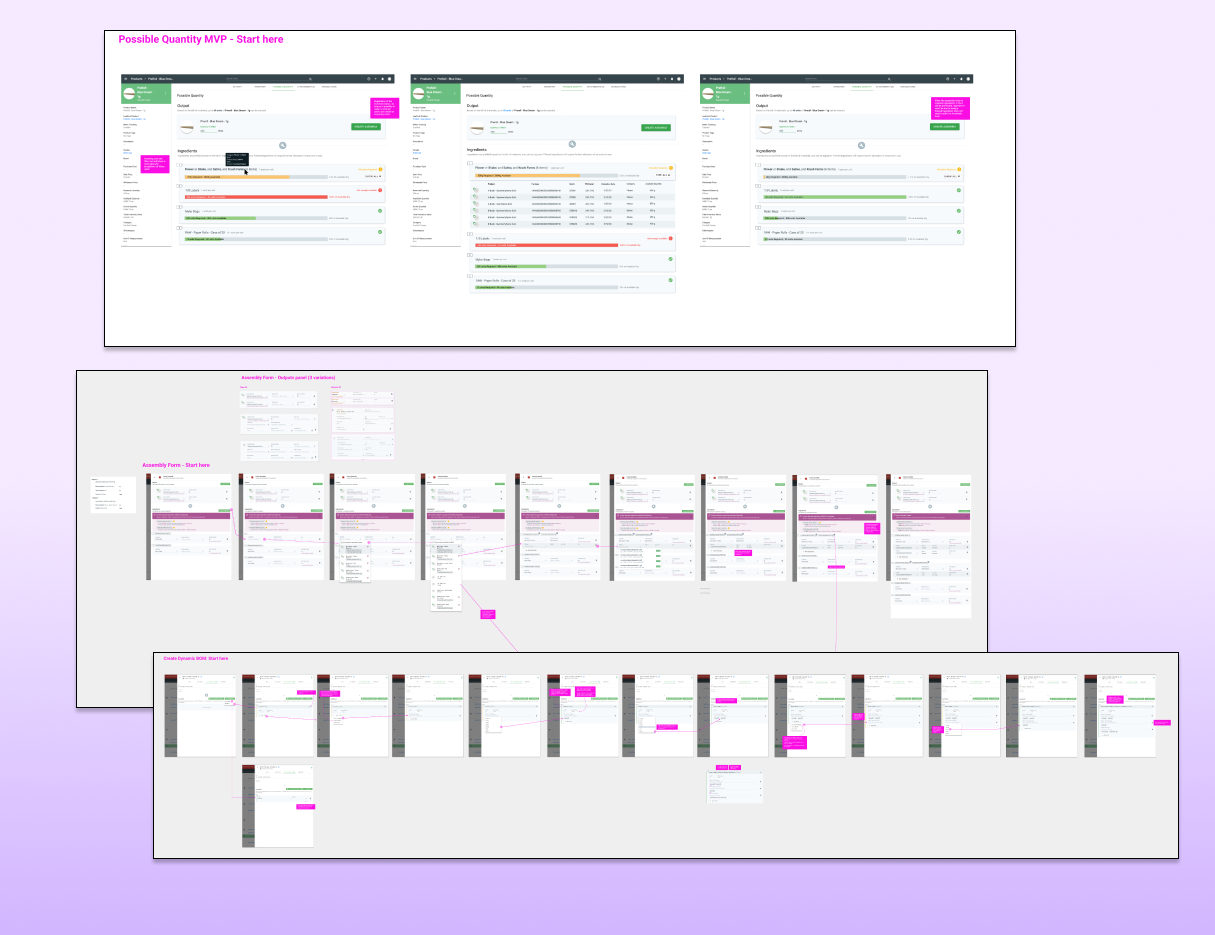
Final Dynamic BOM designs
PRD and handoffOnce the design reached its final form, I prepared the PRD and wireframes for engineering.

Project 4Recurring and cloning tasks

For manufacturers and distributors, keeping to a schedule is vital, and each employee's schedule is full of tasks that need to be done on time. Letting managers assign tasks accurately and efficiently is key to minimizing errors.

  • Scoped and planned with the PM, and audited the existing feature
  • Ran a competitive analysis of task and schedule management apps
  • Ideated solutions, reviewed them with stakeholders and engineering, then finalized and handed off
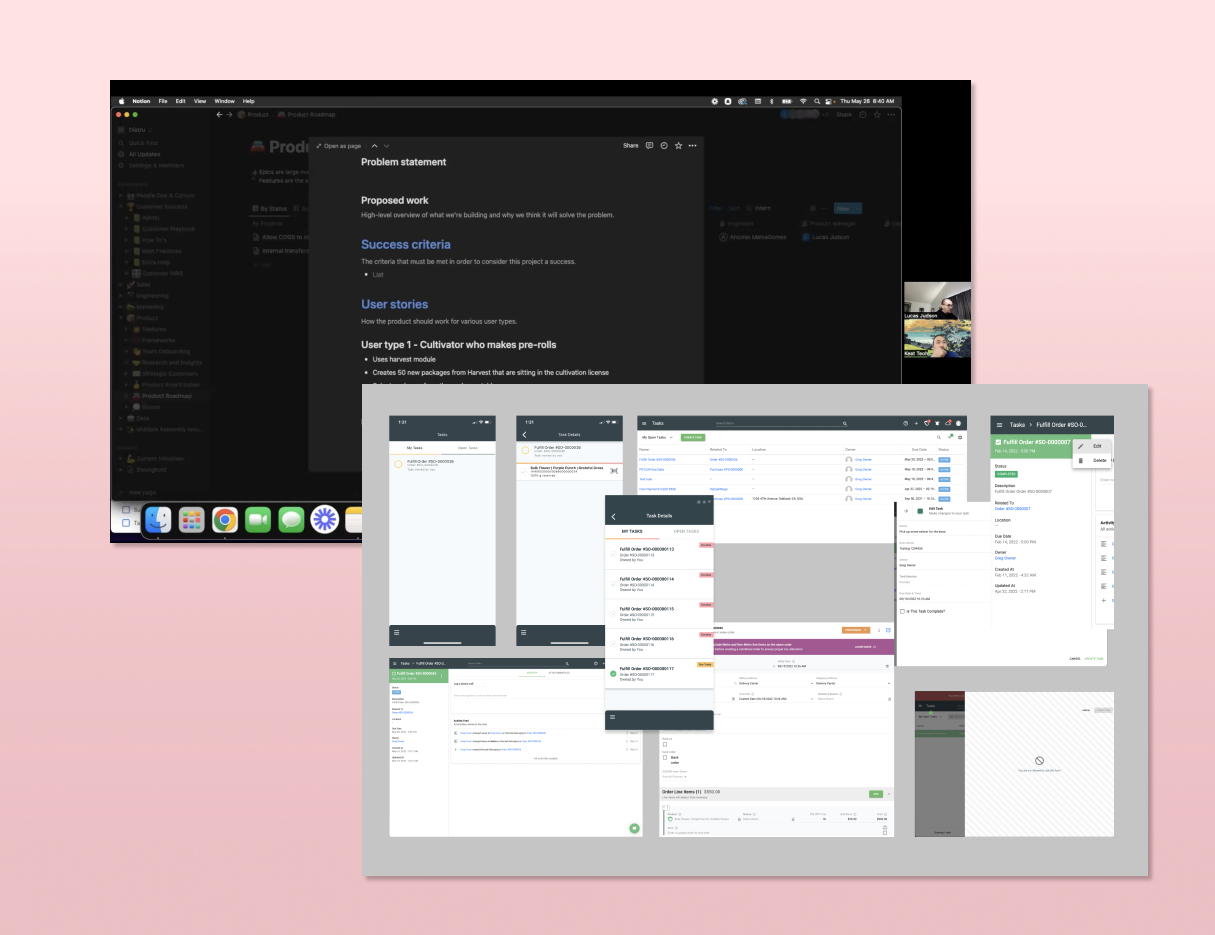
Task cloning scope and visual audit
Scoping and researchCloning was simpler than recurring tasks, so we shipped them as separate updates.
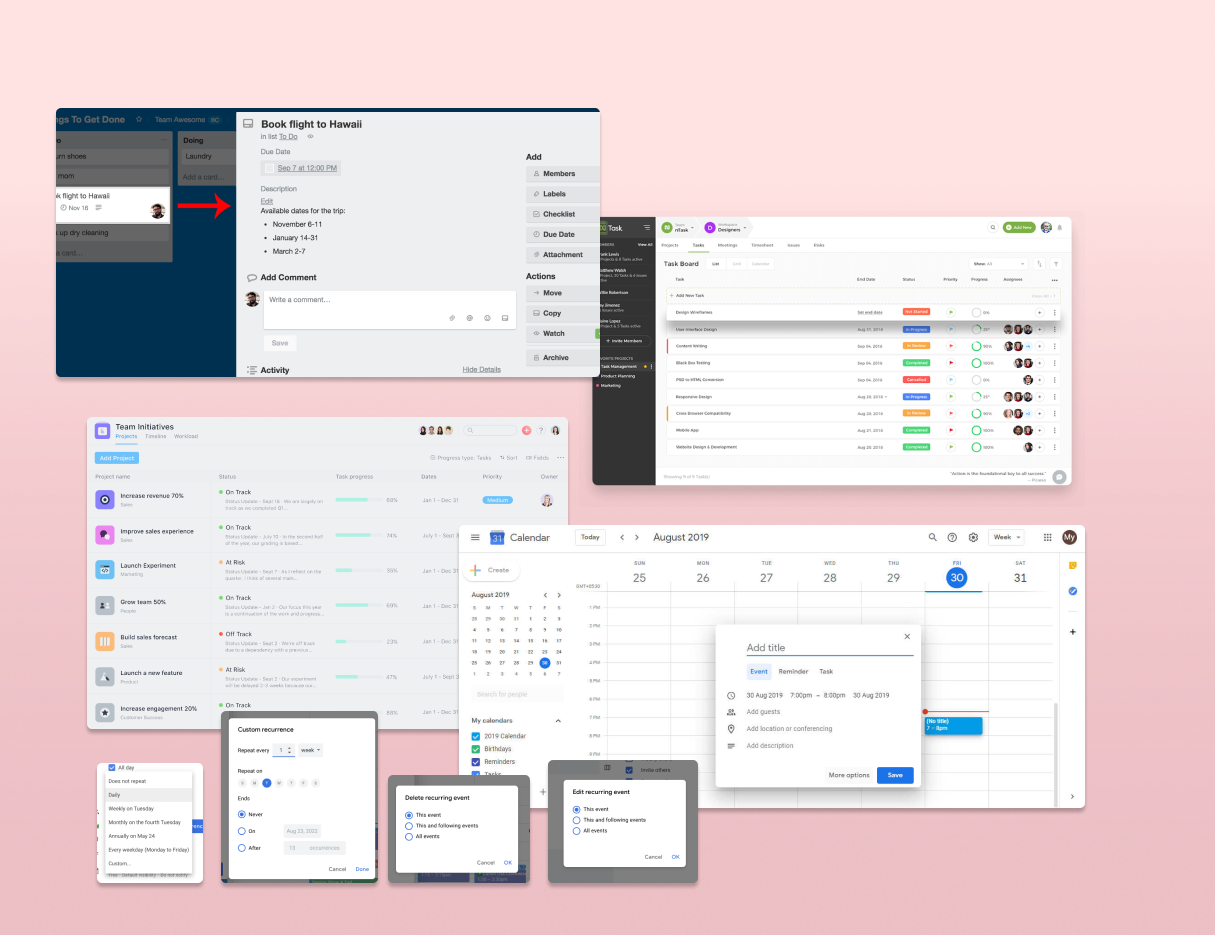
Competitive analysis of task management apps
Competitive analysisCompared successful task apps' workflows to inform Distru's own.
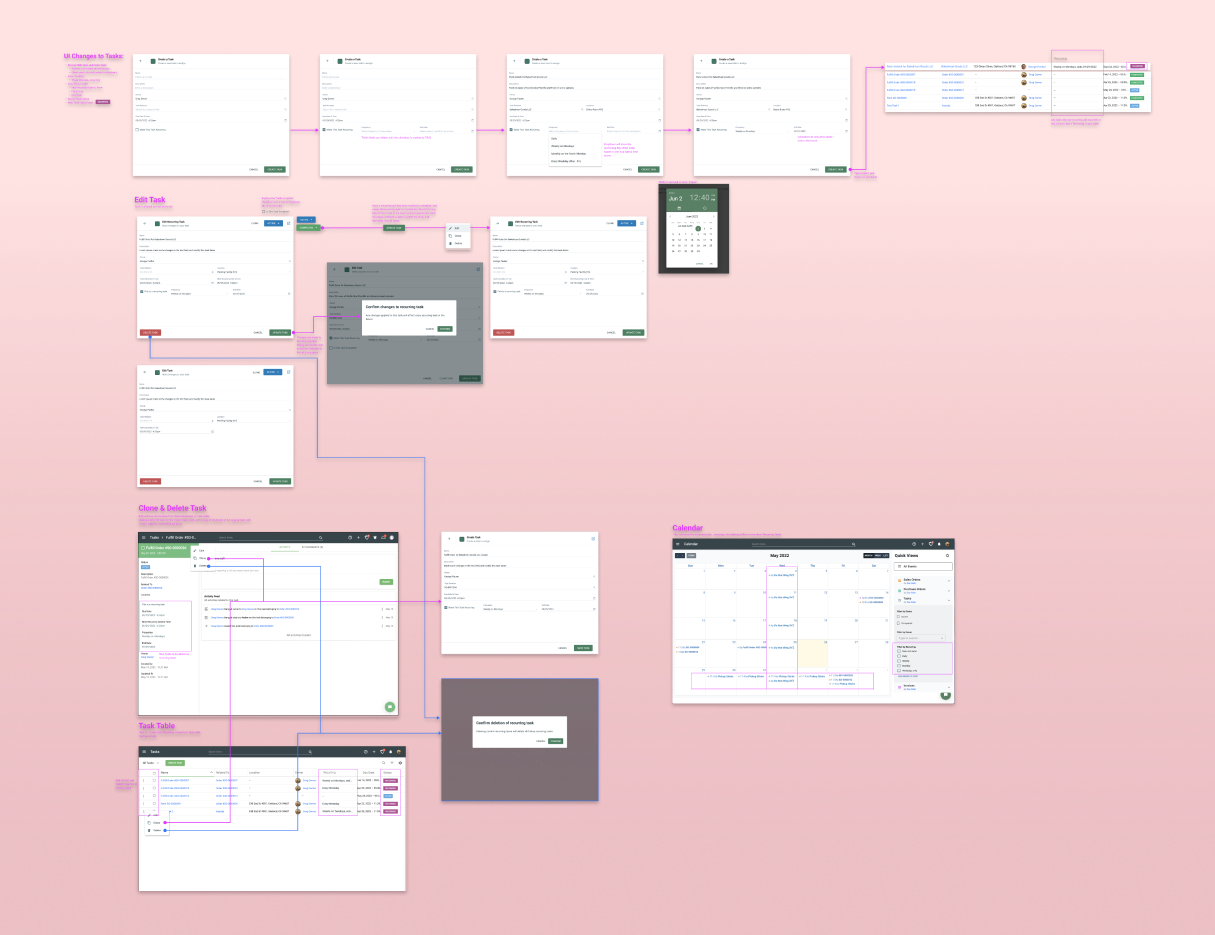
Task wireframe flowchart
Ideation and iterationsFound chances to consolidate components, and mapped every affected feature as a wireframe flowchart.

Project 5Marketing strategy and branding

First impressions are everything. In SaaS, aesthetics can feel homogenized, and brand identity needs to stand out. Working with the Marketing team, I designed promotional materials for events, in-app splash illustrations and icons, marketing site layouts and illustrations, and social media and blog illustrations.
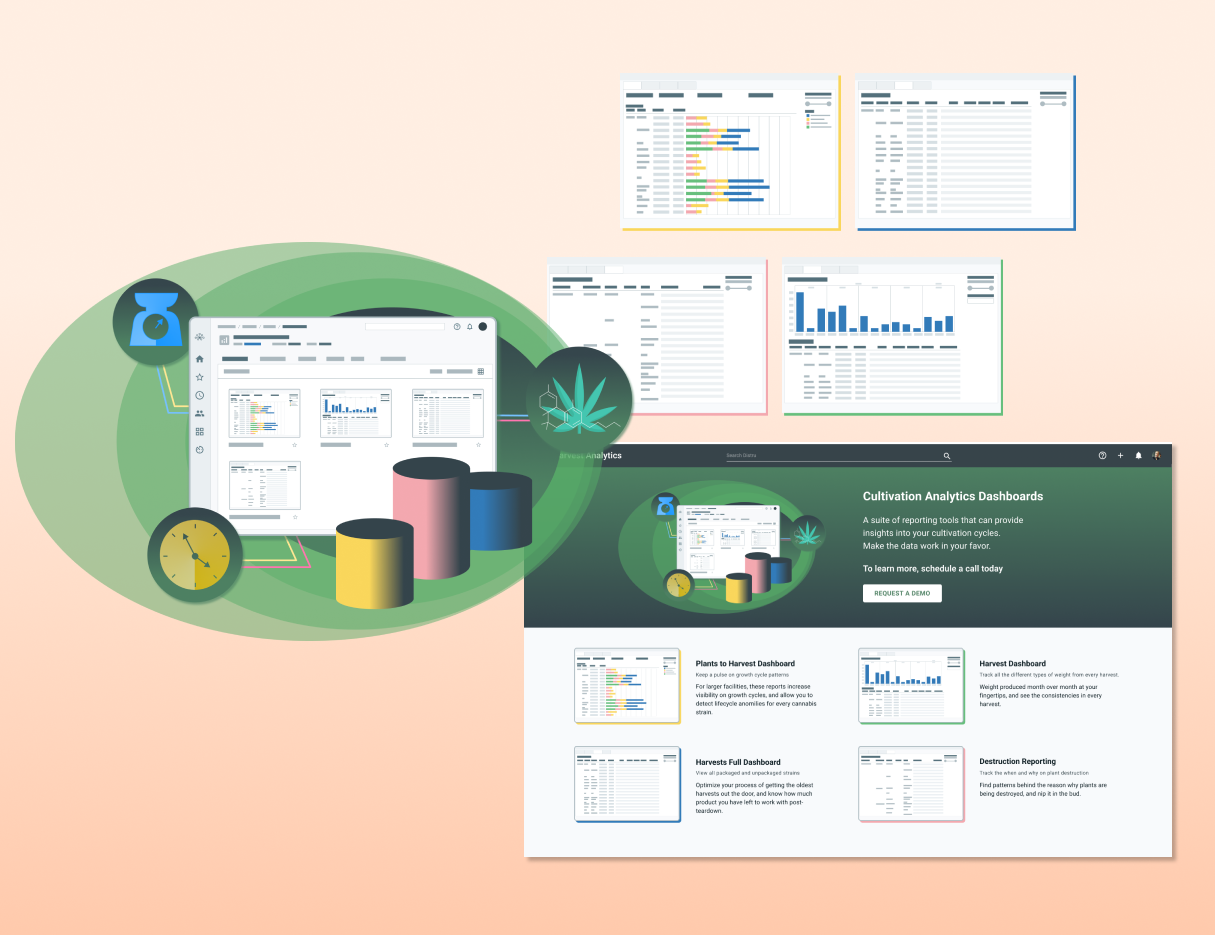
Cultivation Analytics promotional illustration
In-app advertisingIllustrations promoting Cultivation Analytics, an upcoming product.
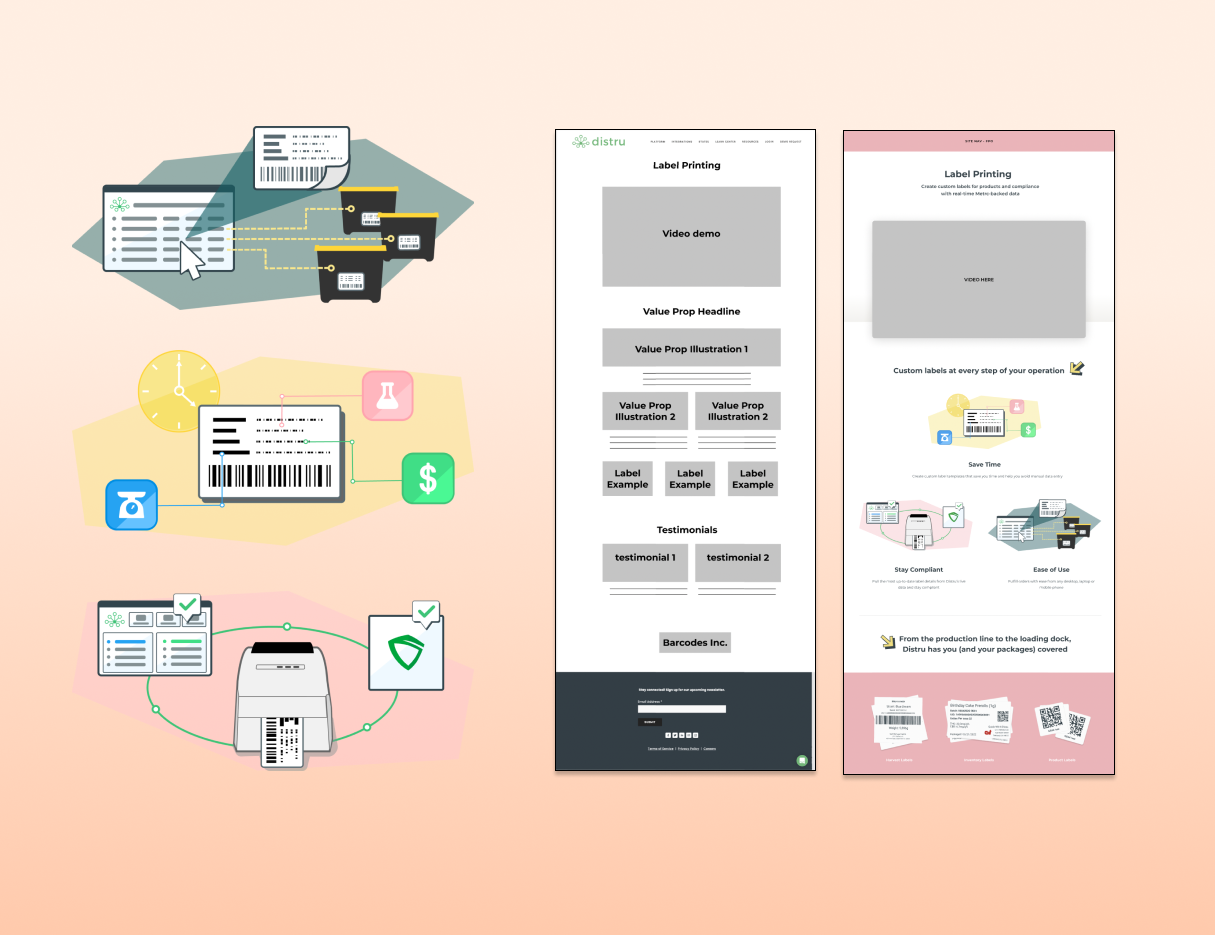
Label Printing marketing page
Marketing site layoutLayout and illustrations for the Label Printing launch page, designed with a colleague.
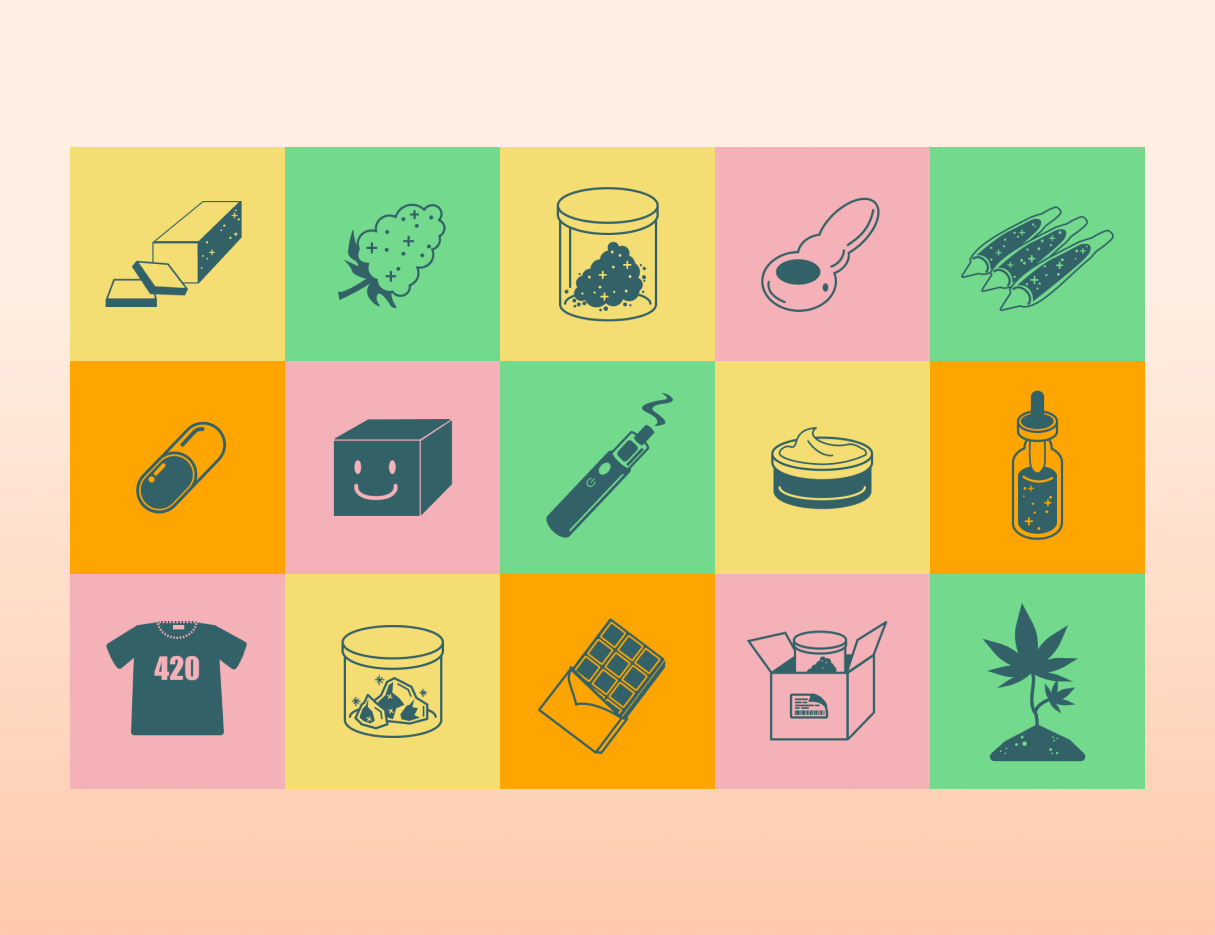
Product placeholder images by category
Placeholder imagesInstead of one generic icon, placeholders that match each product's category.
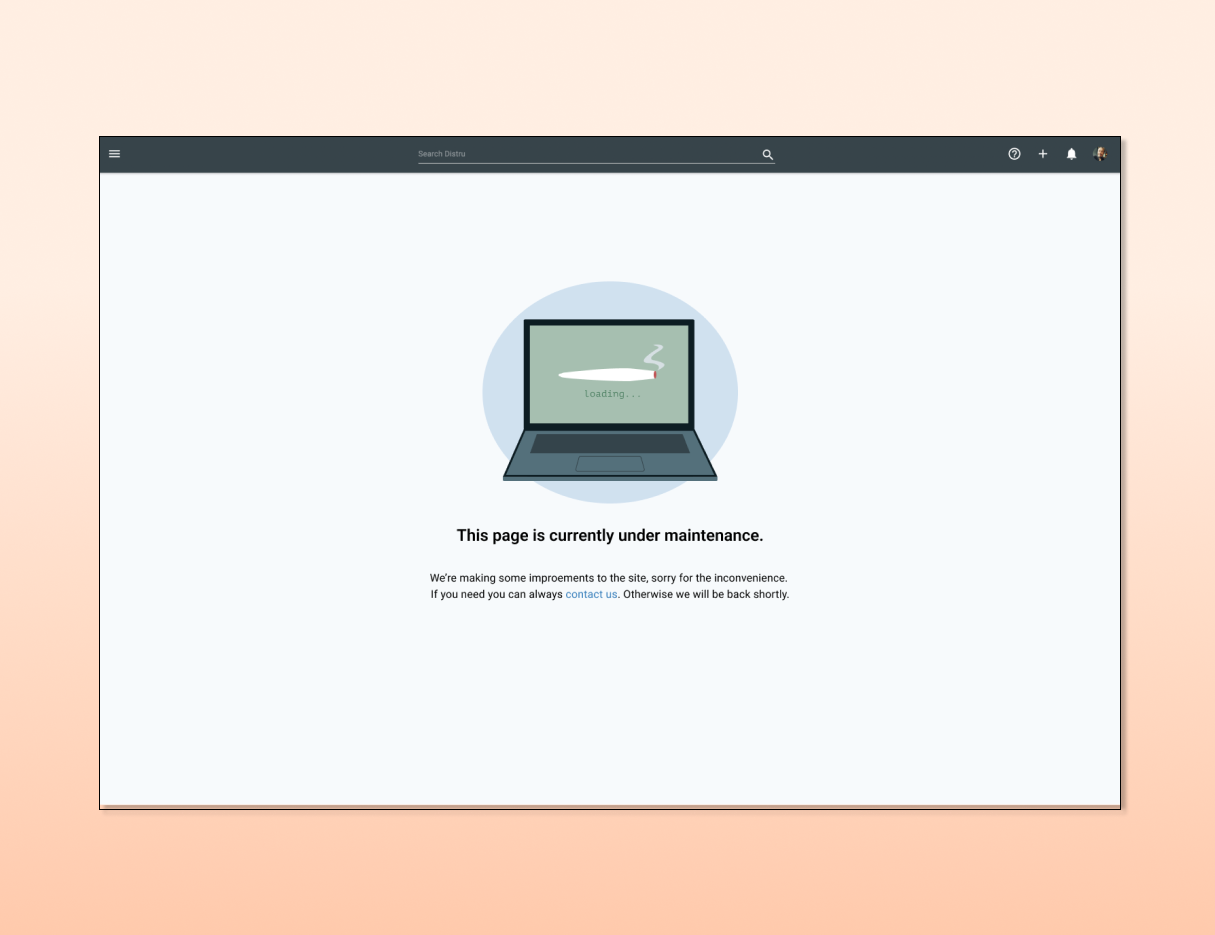
Under construction error page illustration
Under construction pageIllustration for when pages are down for development.
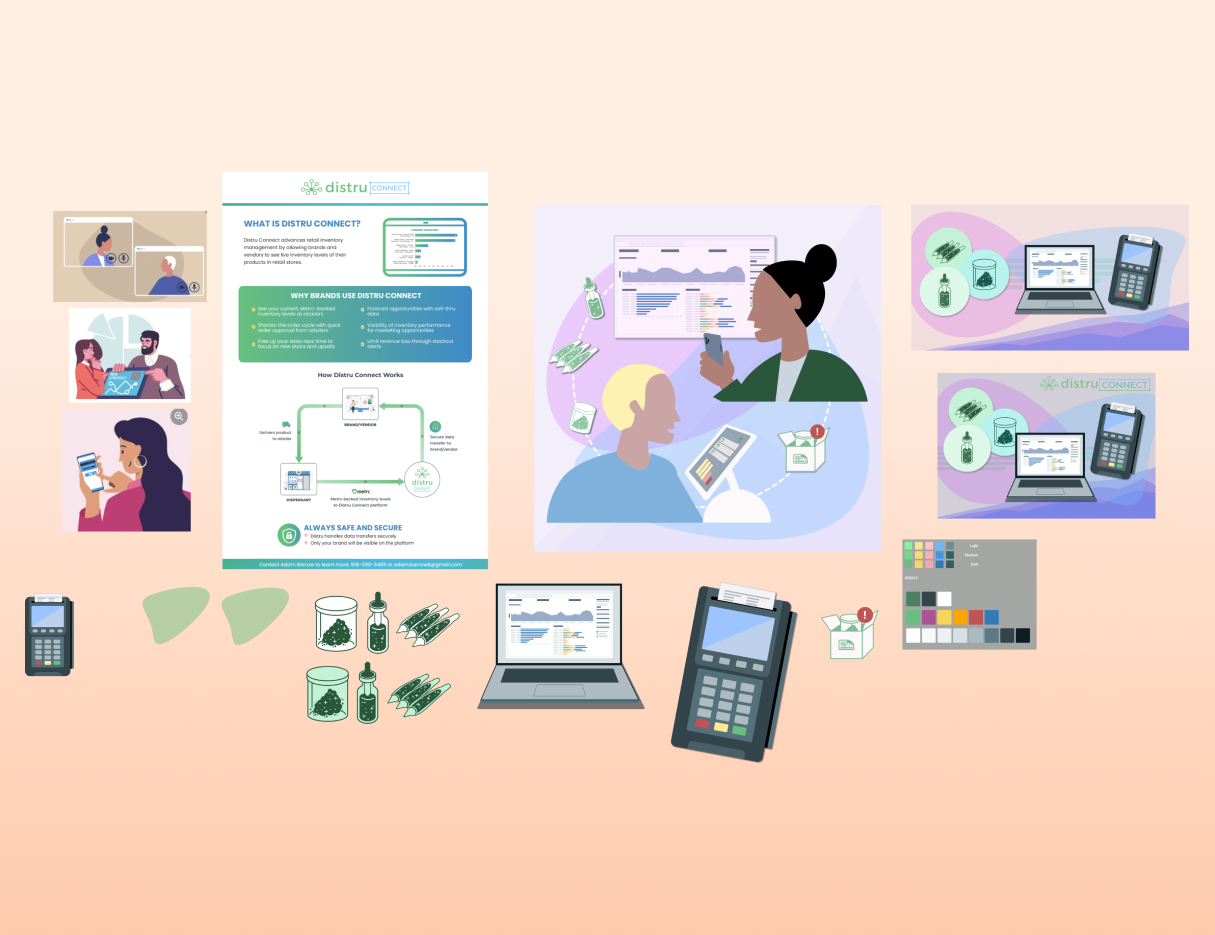
Blog and social media graphics
Blog and social mediaPromo materials for social media and the Distru blog.

Project 6Design system

As Distru shipped features over time, inconsistencies between pages and components accumulated. When the design team grew from one to three designers, it was the right time to build a design system. We met weekly, set goals and action items, and worked through:

  • An app-wide visual audit, then analysis and synthesis of the findings
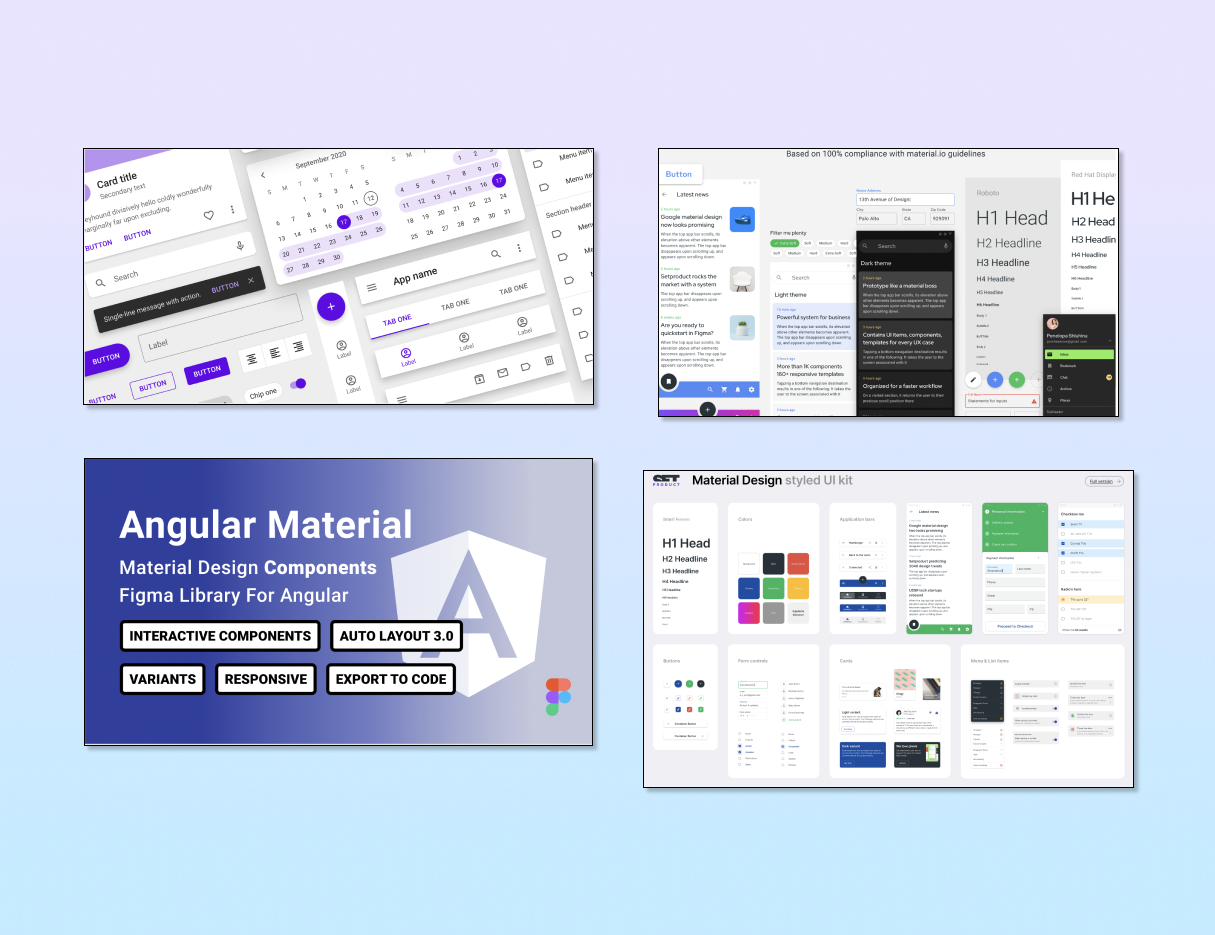
  • Comparing and adopting a Figma MUI library
  • Building shared components with engineering in Figma and Storybook
  • Prioritizing incremental UI updates against the library specs
  • Communicating each release across teams with recorded demos
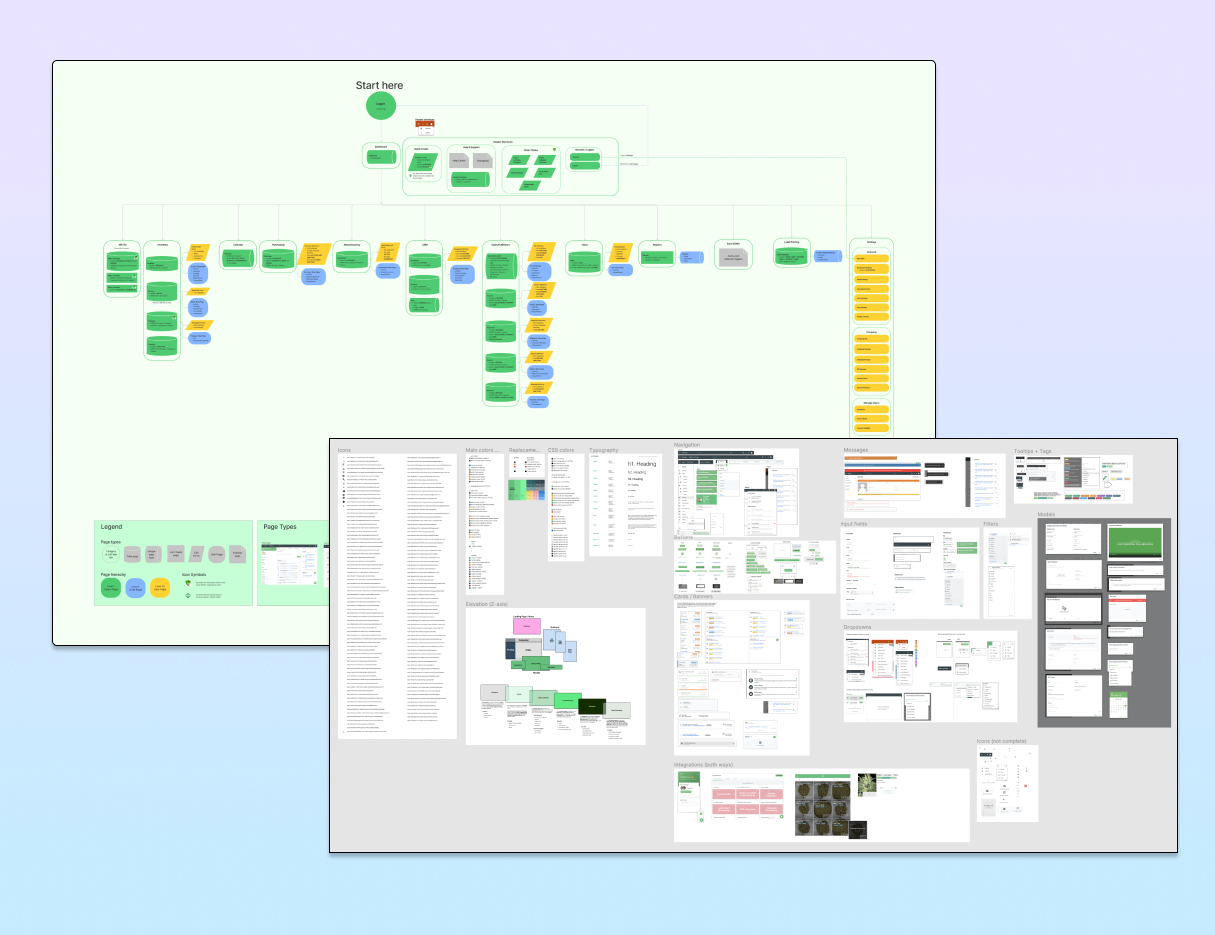
Site map and component audit
Site mapping and visual auditWhile building a site map, I collected screenshots of components from every page.
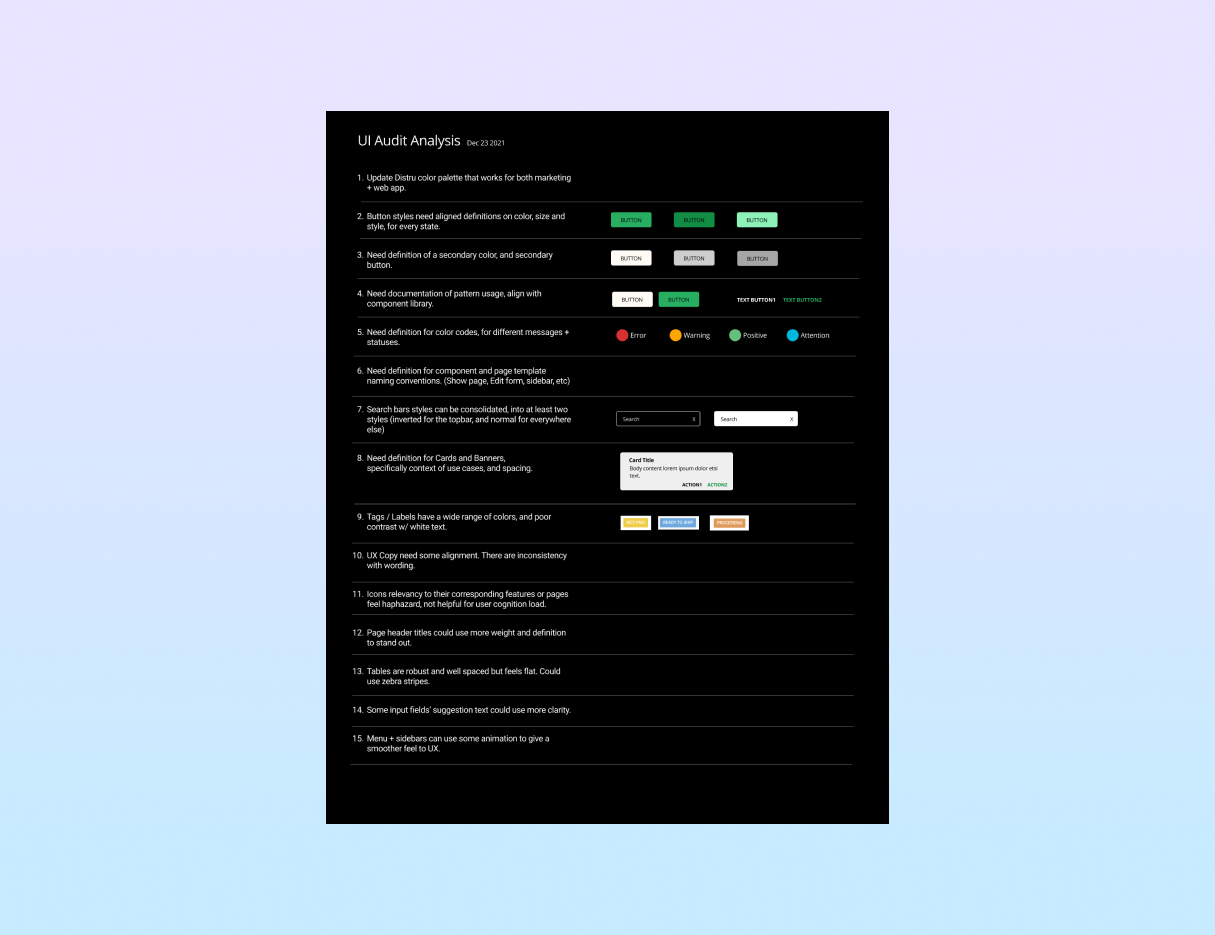
Audit analysis document
Analysis documentFindings and suggestions, shared and reviewed with the product team.
Plan for adopting an MUI pattern library
Adopting an MUI libraryMost components were already MUI, so we adapted an existing Figma kit instead of starting from scratch.
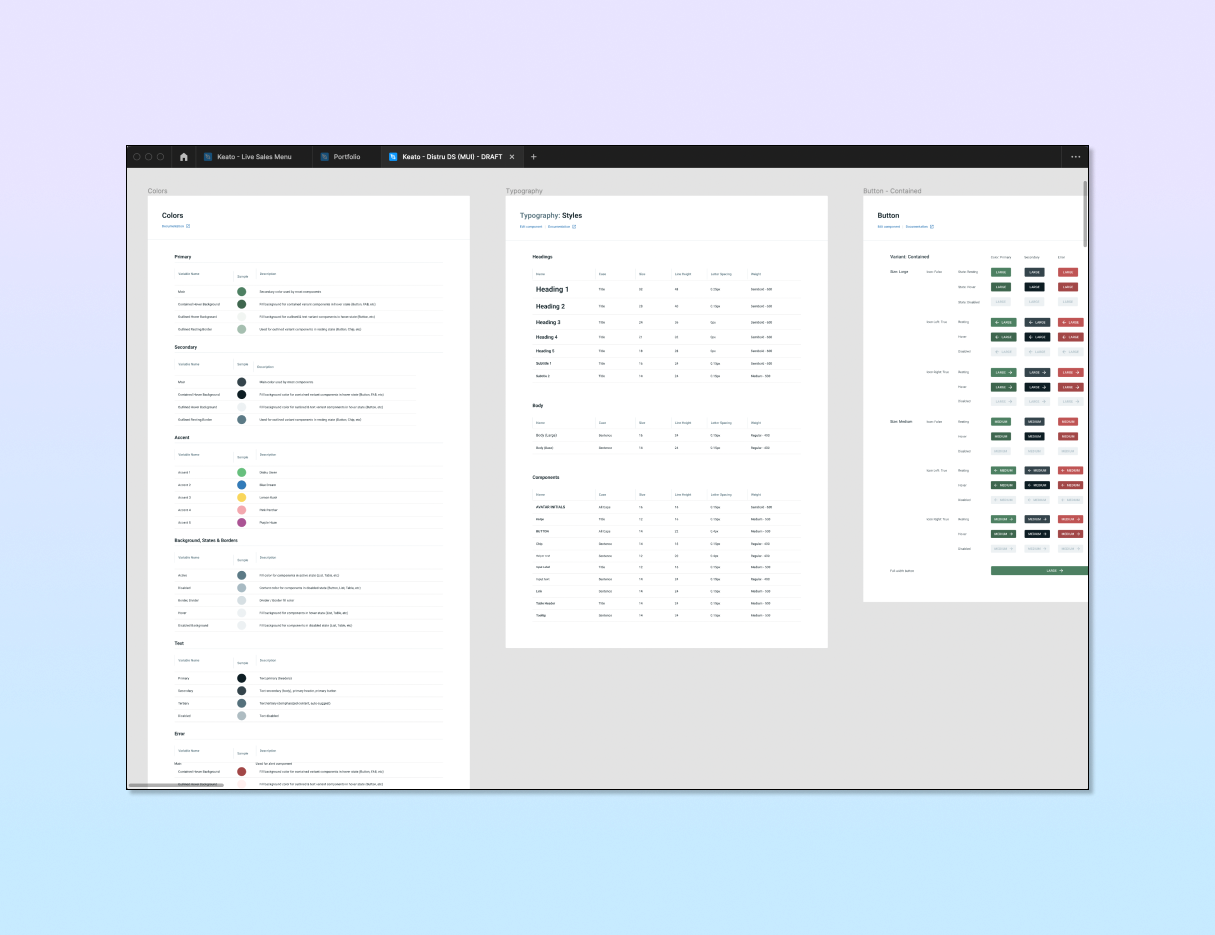
Design system maintenance workflow
Workflows and maintenanceWeekly prioritization, with component rules documented in Storybook with engineering.
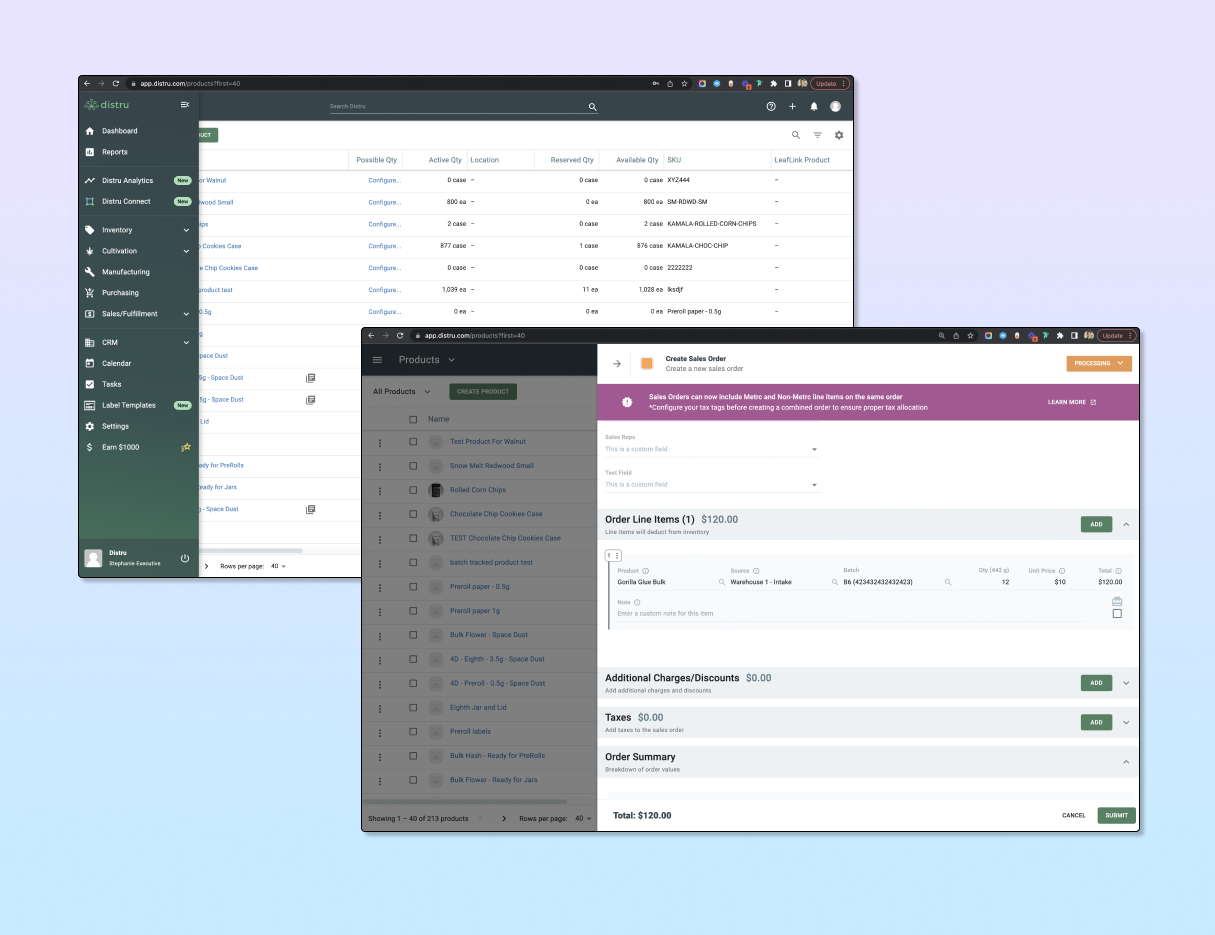
Before and after of a UI update release
UI update releasesEach incremental update consolidated components and made the UI more consistent across the app.