The problemEvery map started from scratch
The sheets vary from project to project. Without a template, recruiters start from scratch every time and fill the maps in by hand. Past maps were hard to find and hard to trust, formats were inconsistent, the research was slow, and turning a sheet into something presentable took more work.
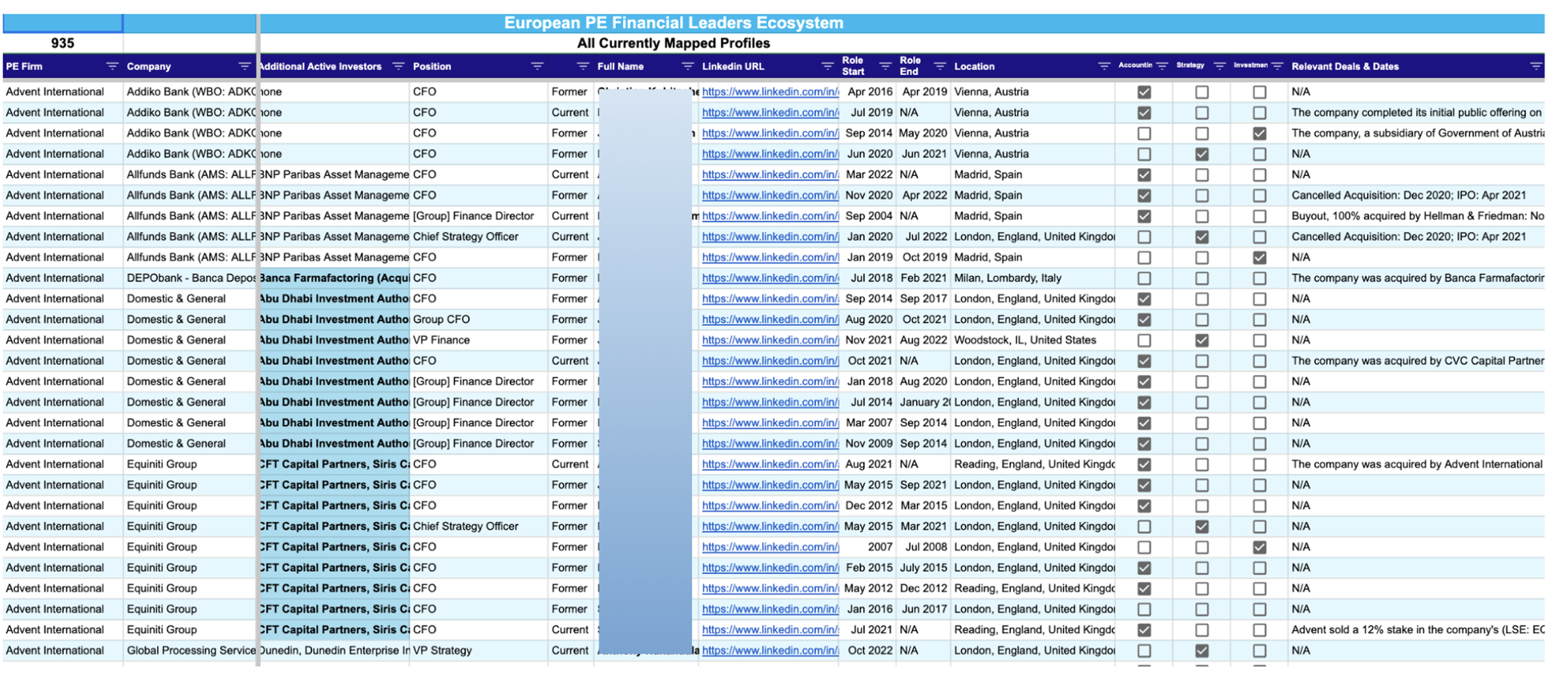
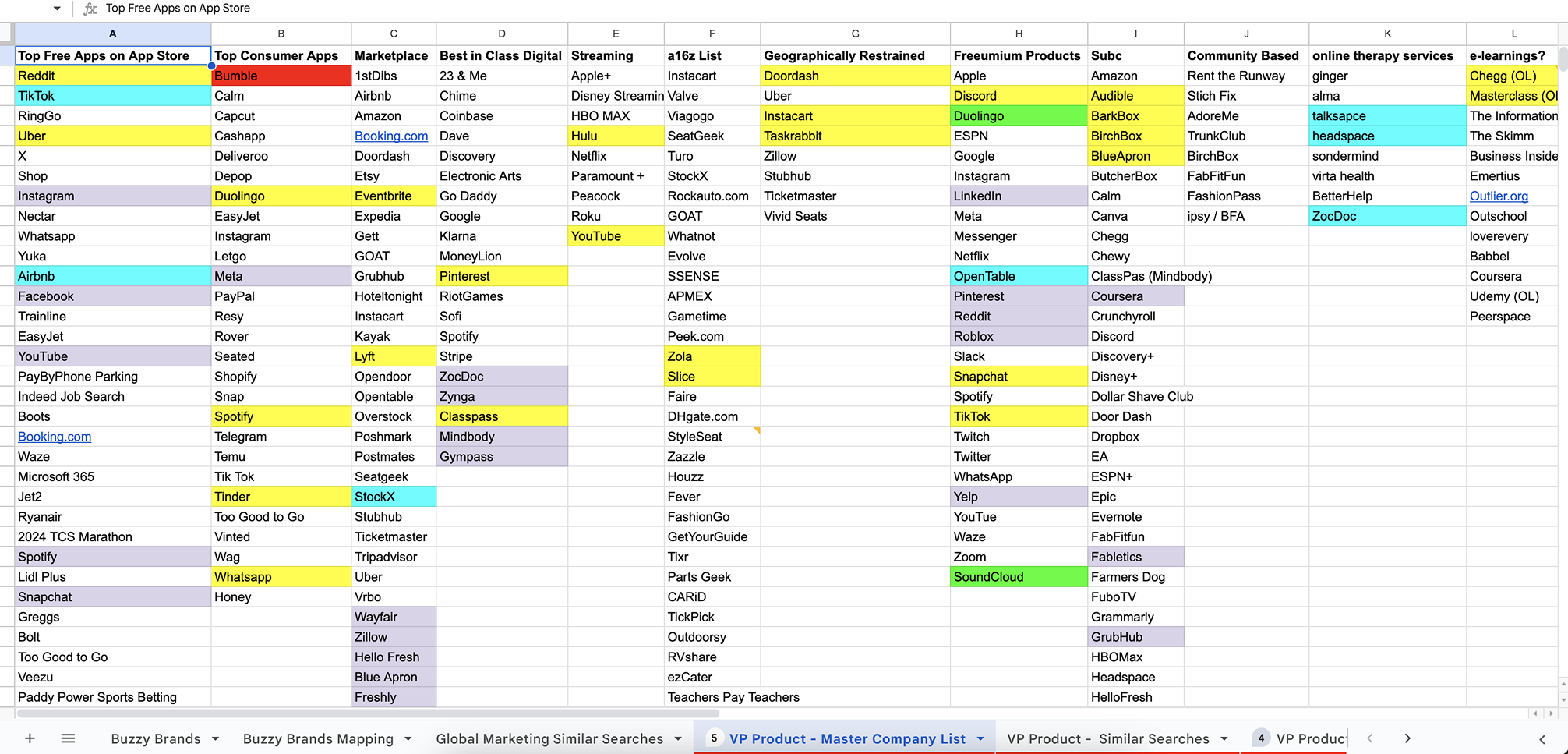
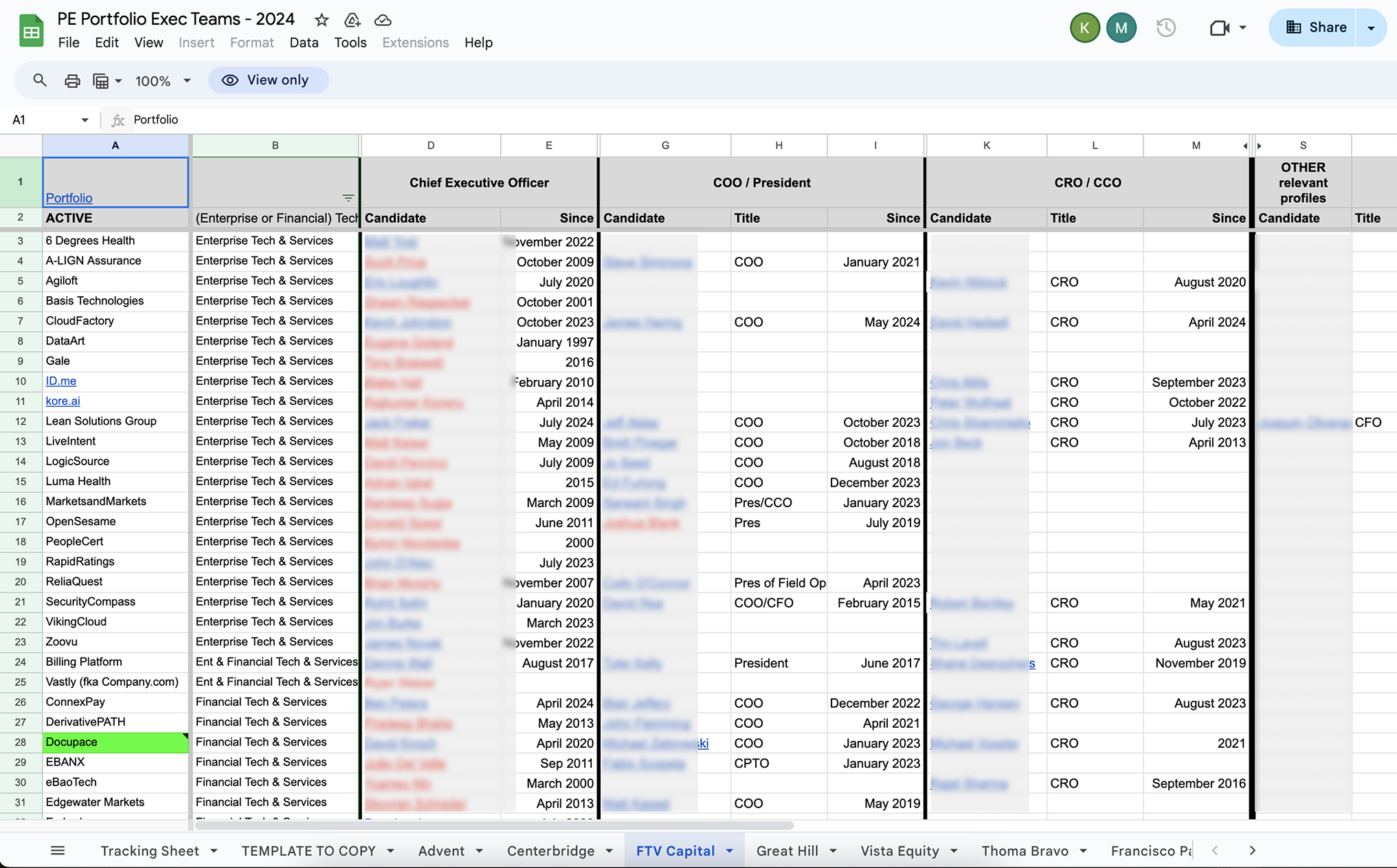
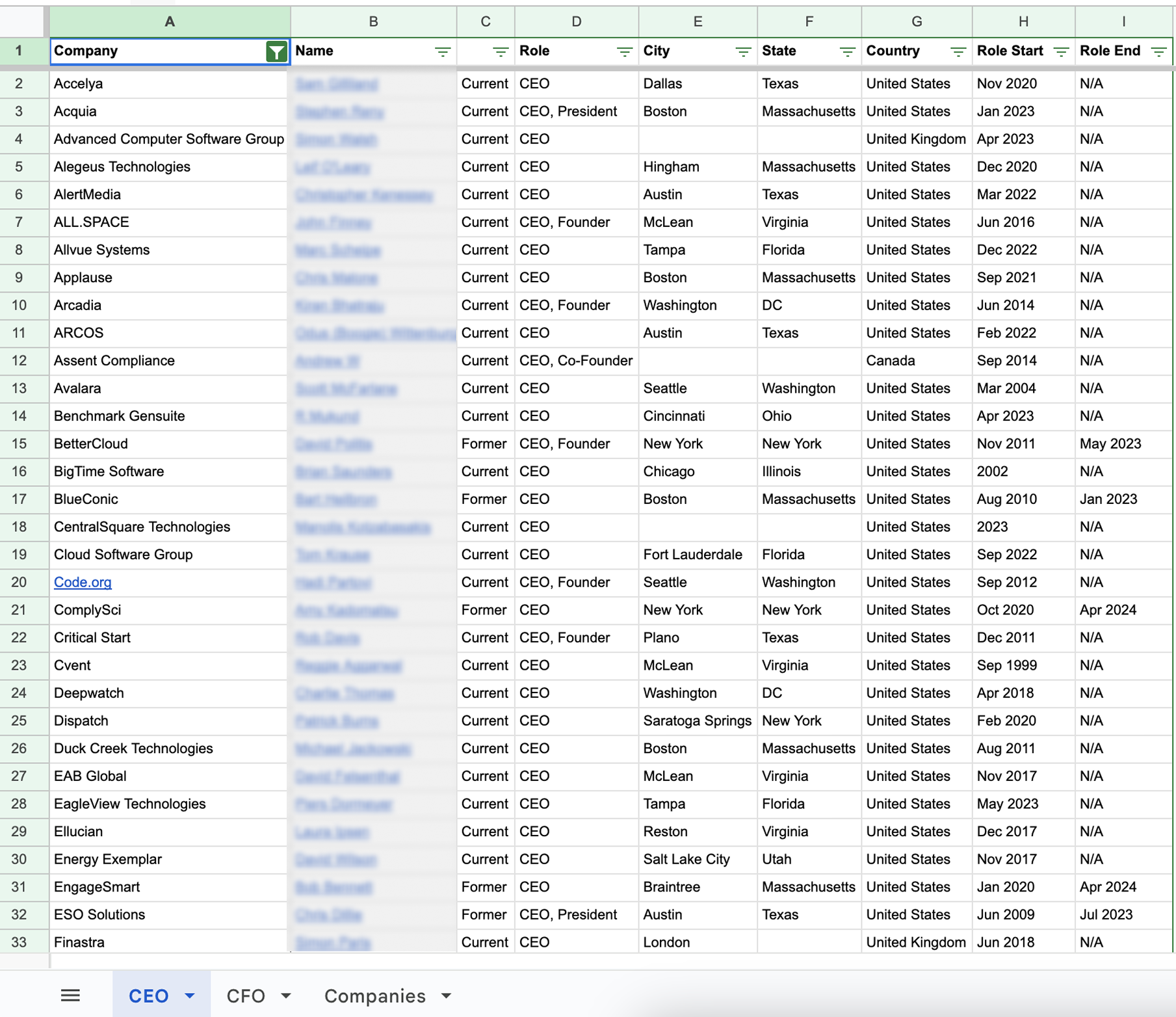
The goal was a template that is quick and easy to use and produces polished maps recruiters can use to understand a potential contact and candidate base, consult on hiring strategy, build executive relationships over time, and activate a placement quickly. For the product, that meant making the app the home of executive data and actions: centralize the work, and make past work reusable.
The constraintA data source that was not guaranteed
The original vision was parameter-driven. A user would enter work experience, level, and function, and the feature would pull matching people from a third-party database and group them by company. The PM and I were asked to design and build with that integration in mind while leadership was still negotiating the deal.
That worried us. A map only works if it can track each person's level (C-suite, director, VP, manager) and function (finance, HR, engineering, product), and that depended on a reliable database. We told stakeholders that without it the feature would not be impactful. They took the feedback in and asked us to design a more manual early phase: users start a blank map and fill it with companies they pick by hand. The deal later fell through, so the manual phase became the product.
Without the third-party source, all the people and company data on a map comes from what customers maintain themselves in the app.
The designOne dataset, three views
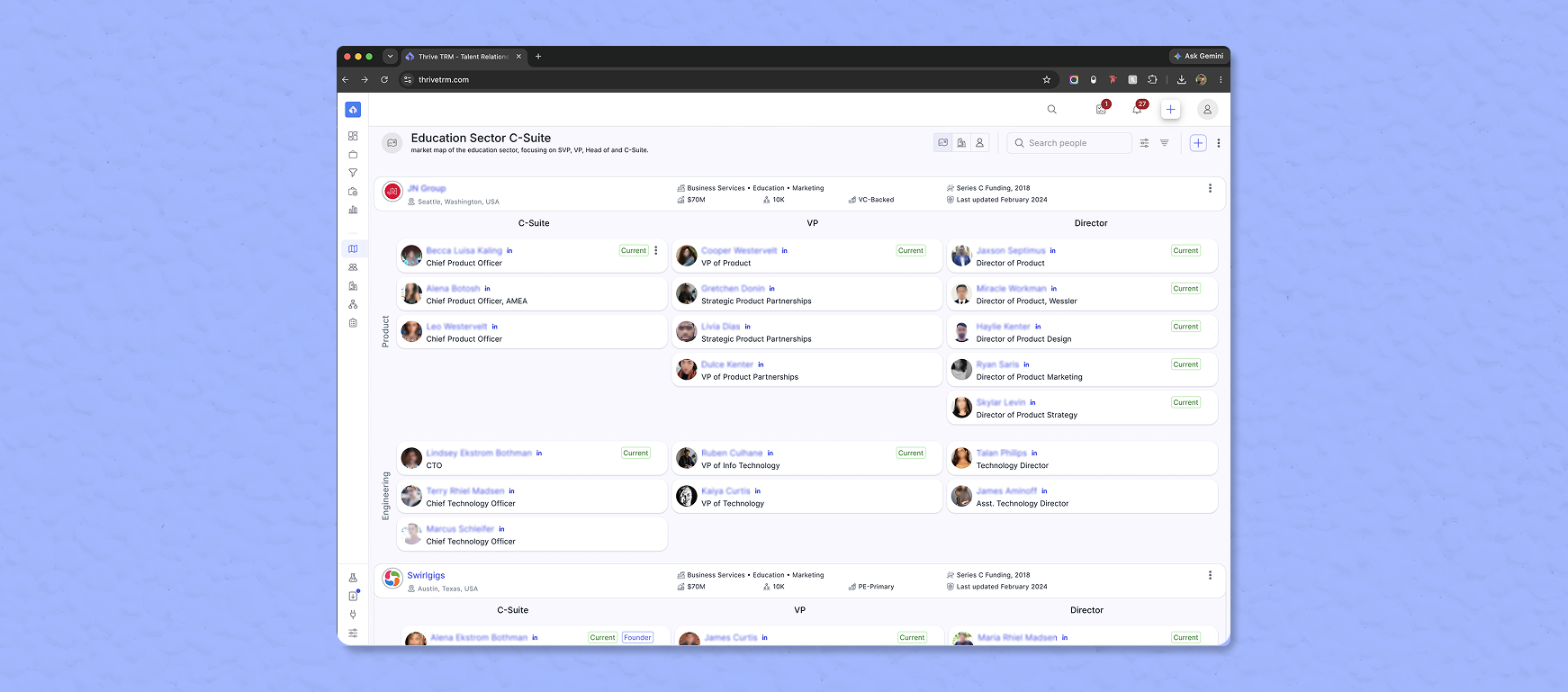
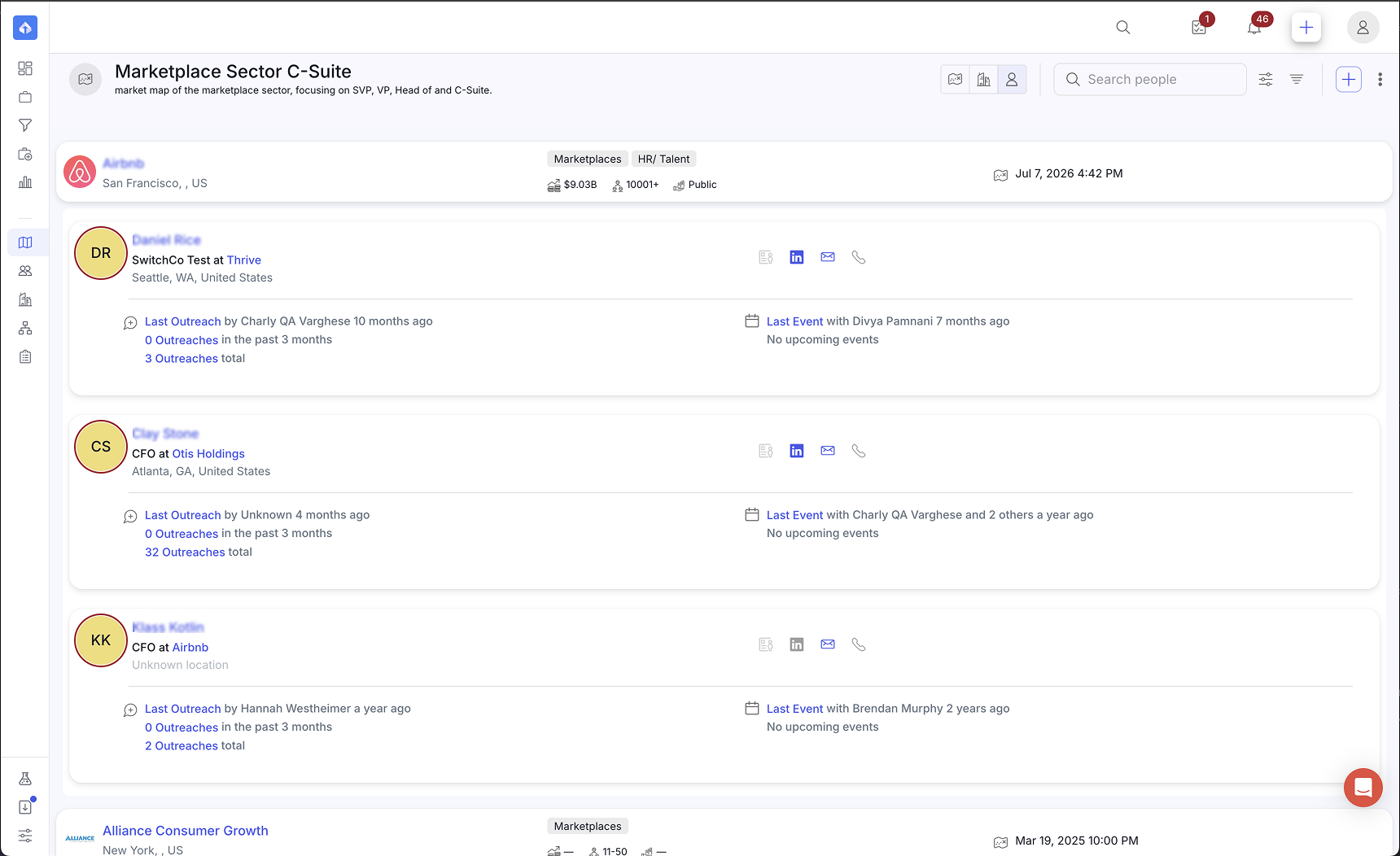
Everyone in the app reads from the same database of people, companies, and past searches, but each context needs the data differently. I proposed that we rethink how we display it, so each view shows what it needs and no more. I used three information levels as a conceptual tool (they are not a term in the app):
- The highest-level information: name, avatar, location.
- More metadata, such as company size, tags, and calls to action.
- The most detail: the person or company profile in the side panel.
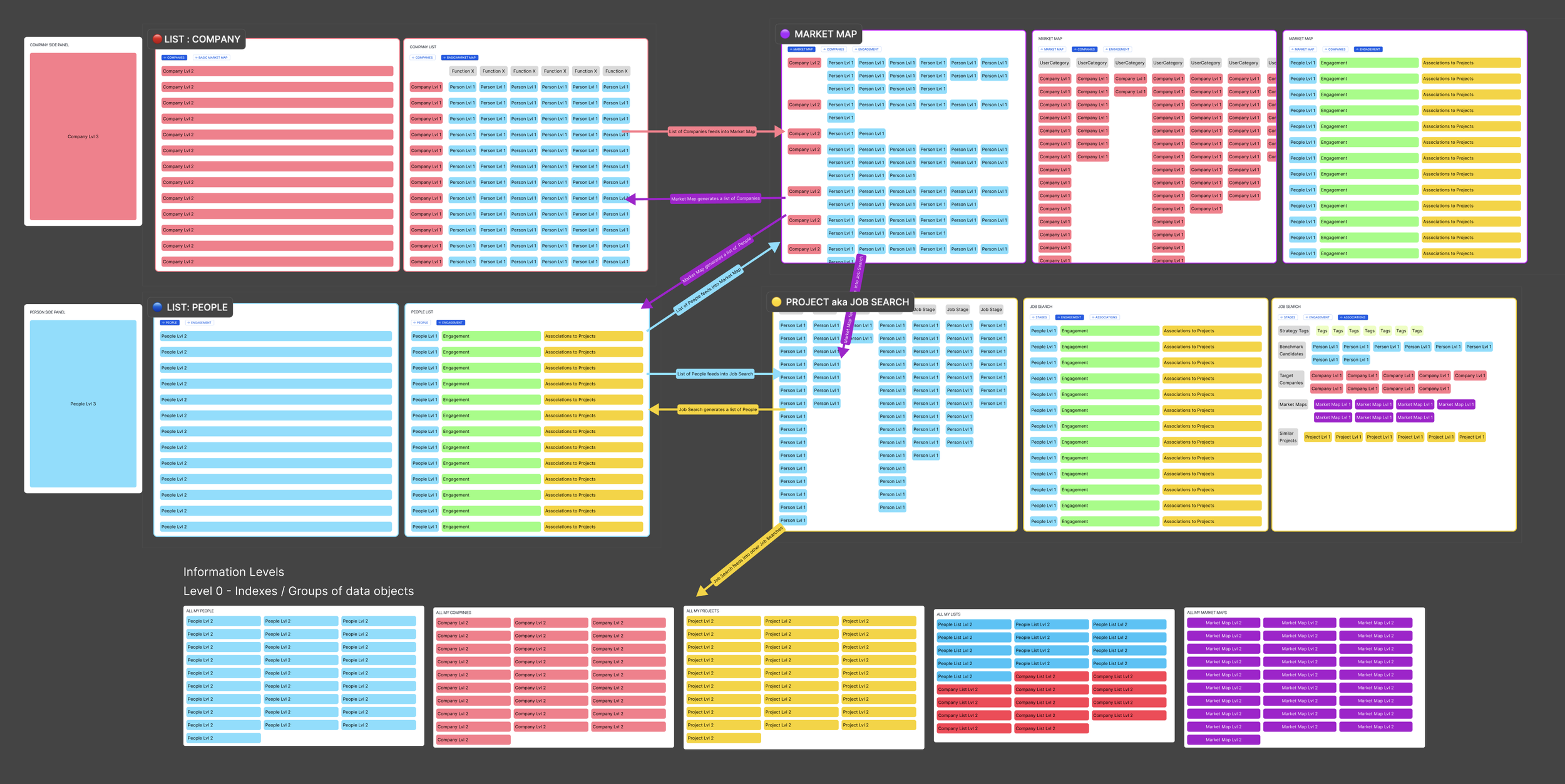
A market map needs more than one view state, so I designed three. Two of them map back to the spreadsheets recruiters already used, and the third uses data that already exists in the app to further enhance the research workflow.
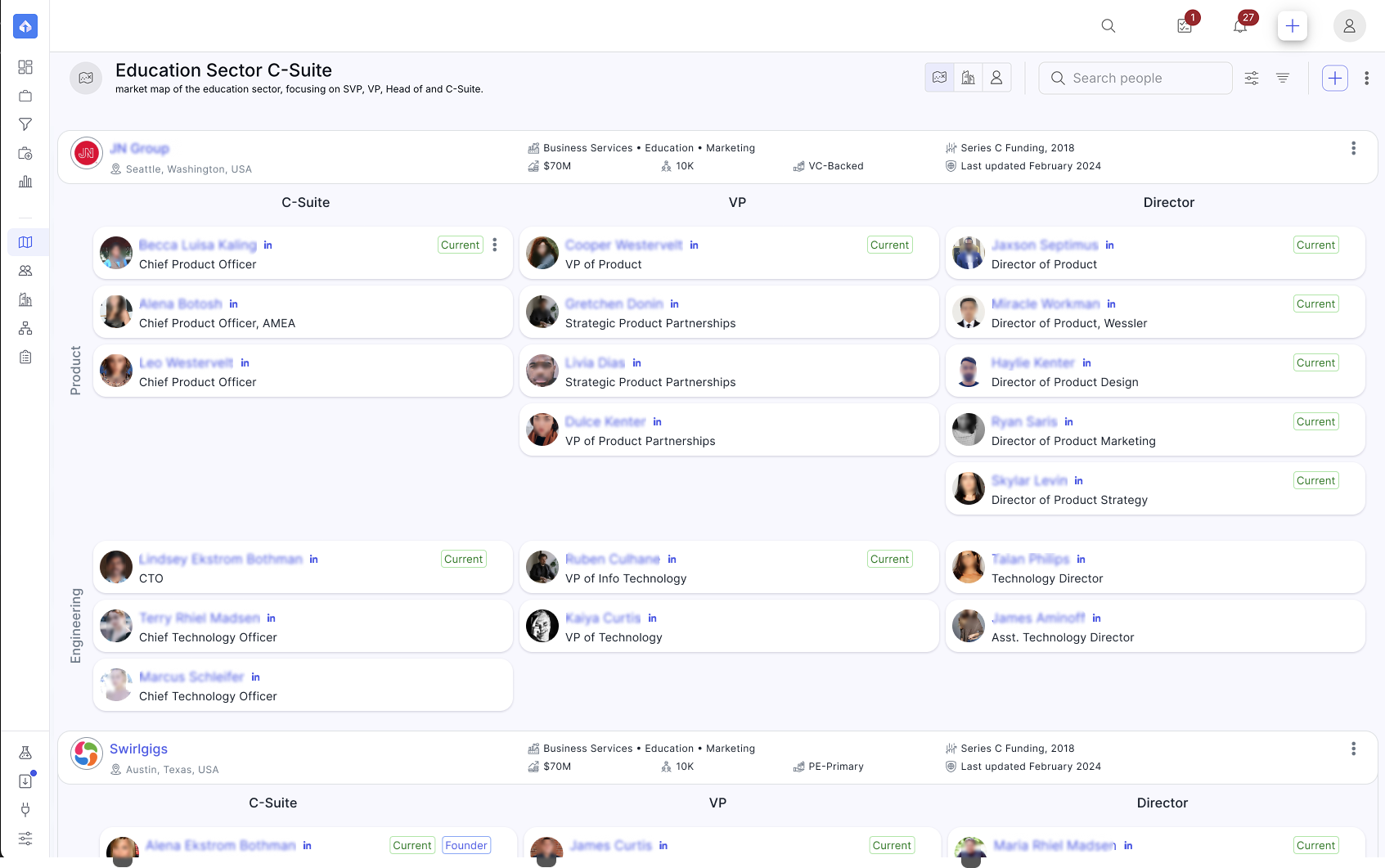
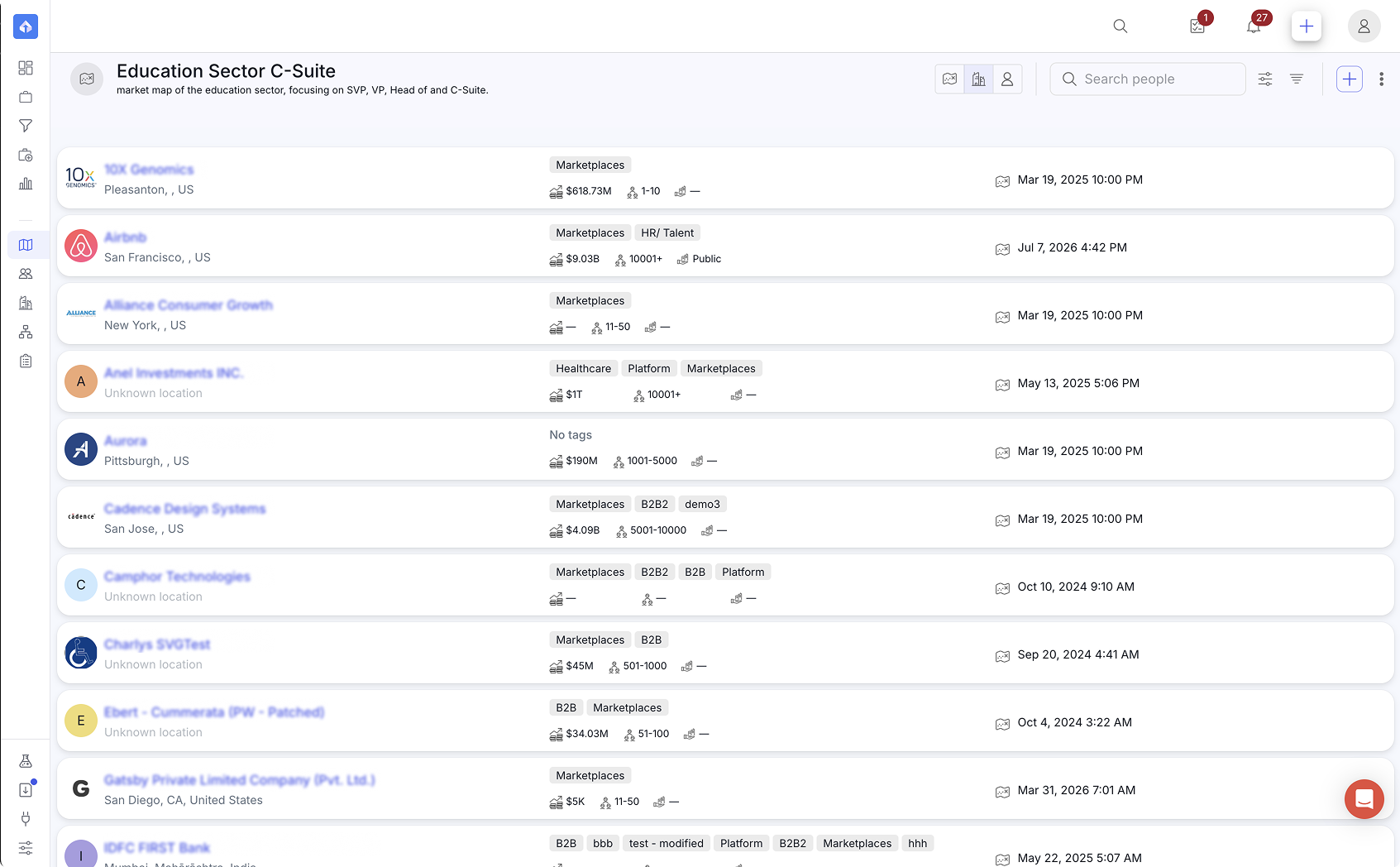
The bigger pictureHow it fits the suite
At first the feature was a mapping tool that displayed data. As I learned more from recruiters and partners, I saw that a market map is part of the ecosystem of workflows that lead to a successful search. I looked at how it fits with Projects, Lists, Pipelines, and Market Maps, and proposed that a market map could evolve into a Project, and the reverse, because the two have very different needs but work from the same data.
Time and resource constraints meant we scoped that out and shipped a barebones version first. One people view was also scoped out because it was not relevant to market maps, though it can apply in other contexts.
ReflectionWhat I learned
- Design for the degraded case first.When a feature depends on data or a deal you do not control, design the version that works without it before polishing the version that depends on it.
- Name the riskiest assumption at kickoff.Here it was the data source. The PM and I raised the concern with stakeholders, and the result was a manual first phase.
- Do not let a manual workflow copy the spreadsheet.If the data cannot do the work, the design has to remove other effort, for example reusing a past map or starting from a template.
- Ship small and learn.A narrower first release that real users touch teaches more than a full vision that waits on a dependency.
- Think in the whole ecosystem, then ship the smallest slice.I saw Market Maps as one piece of a suite and proposed letting a map turn into a Project and back. We did not have the time or resources, so the first release stayed barebones.
OutcomeWhere it landed
Market Maps shipped in early 2025 as a beta for a limited group of recruiters, before clients were migrated to the new app. There were plans on the roadmap to revitalize the feature, but I left the team before then.